
BattleOps (Money Mod — offline military FPS with campaign, zombie, and multiplayer modes)
Fast Download : Download this app by PureMods App with faster speed.
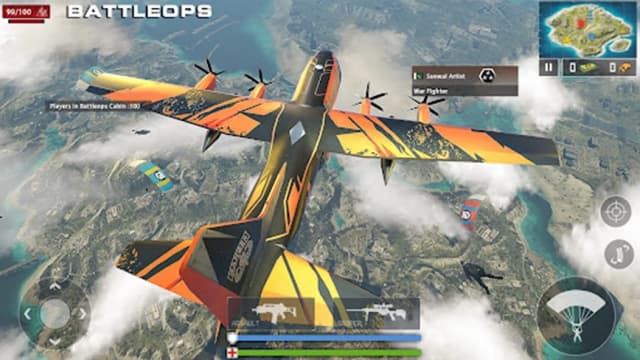

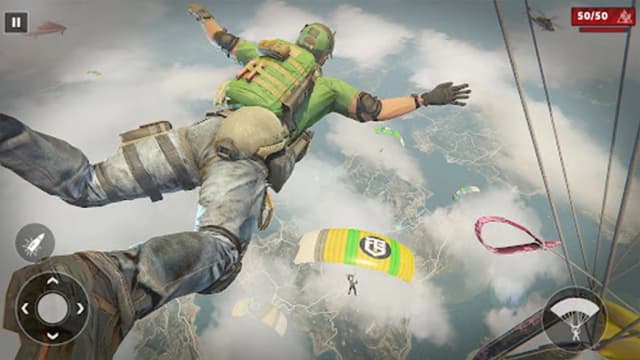
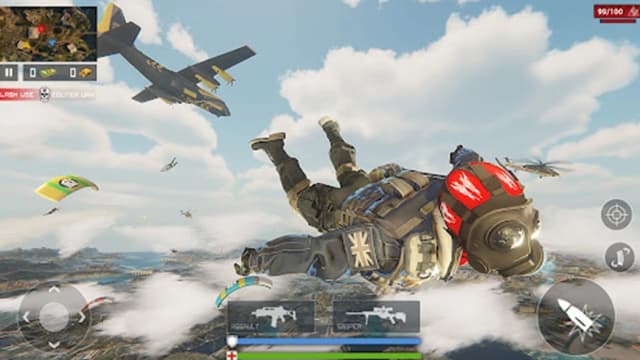
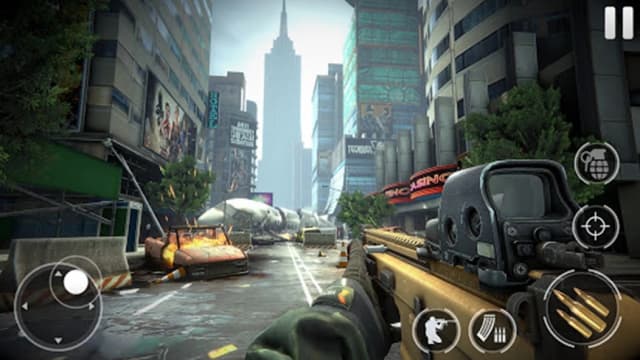
BattleOps Mod APK gives Android sharpshooters unlimited money for a faster, more flexible military campaign experience. This action-packed FPS drops you into story missions, zombie battles, and competitive multiplayer intense firefights. You awaken as a former military expert facing terrorists, dangerous creatures, bosses, and hidden threats. Every chapter pushes precise aiming, smart movement, and confident weapon choices across varied combat locations. The modified economy reduces routine currency pressure, letting you focus more attention on tactical firefights. Customizable controls and difficulty settings help newcomers settle in without flattening the game's challenge curve. Grab this BattleOps for Android guide to learn its modes, strategies, features, and installation steps.
About BattleOps
BattleOps is a military first-person shooter in the strategy category, built around objective-based combat and a chapter-driven story. The supplied game listing identifies Quiet Games through its official support and company links. Players control a former military expert navigating an apocalyptic conflict involving armed enemies, zombies, and bosses. Its core modes include the campaign, zombie encounters, and four multiplayer options: Frontline, Team Deathmatch, Free for All, and Hardcore. BattleOps gameplay also includes sniper assignments and helicopter strike missions, while unified progression awards XP across modes. The BattleOps APK offers customizable controls and adjustable difficulty for different skill levels.
BattleOps Gameplay Guide and Practical Tips
Campaign missions usually provide an objective, a combat area, and enemies blocking your route. Read the current objective before rushing forward because eliminating every visible opponent may not be the immediate task. Use cover, watch open lanes, and move after reloading rather than standing exposed. Pistols and other firearms suit direct engagements, while the silent crossbow supports a more controlled approach when the mission allows it.
Zombie mode changes the rhythm. A horde can punish players who remain trapped in corners, so preserve an escape path and keep scanning behind you. Concentrate fire instead of spreading damage across several targets. Against bosses, learn attack timing first and commit to damage when a clear opening appears. Adjustable difficulty is useful for understanding enemy behavior before attempting a harder setting.
- Customize before fighting: Reposition movement, aim, fire, and reload controls until essential actions are comfortable. A reliable layout matters more than excessive sensitivity.
- Aim around cover: Keep the crosshair near likely enemy positions while approaching doorways. This reduces the correction needed when a target appears.
- Choose modes deliberately: Frontline encourages coordinated pressure, Team Deathmatch rewards consistent eliminations, and Free for All demands constant awareness. Hardcore is better attempted after learning weapons and maps.
- Use unified progression: Since XP carries across the available modes, play the activity you handle confidently before tackling tougher missions.
- Manage reloads: Reload after securing space, not automatically after every short burst. An enemy can easily push during the animation.
BattleOps Mod APK Features
- Unlimited money: The confirmed modification supplies unlimited in-game money. This removes the usual concern of exhausting the available currency while progressing through BattleOps.
- Reduced currency grinding: Players can spend less time repeating activities purely to rebuild their money balance and more time exploring the shooter’s principal modes.
- More freedom with the arsenal: Where equipment or weapon choices require in-game money, the modified balance gives players additional room to experiment instead of protecting every purchase.
- Campaign-friendly economy: A long story containing multiple chapters and levels can create ongoing resource pressure. The unlimited money mod keeps that pressure from dominating the combat experience.
- Clearly defined mod scope: The supplied mod information confirms money modification only. God mode, removed advertisements, unlocked skins, and other unlocked features are not listed, so users should not expect unsupported extras.
This focused approach matters because it keeps the BattleOps Mod APK easy to understand. It changes the in-game economy without replacing the aiming, movement, objective completion, XP progression, or tactical decisions that define the original shooter.
Why Players Choose BattleOps Mod APK
The mod suits players who enjoy BattleOps combat but dislike stopping their momentum to manage a limited money balance. Its benefit is especially noticeable across a lengthy campaign, where trying different options can otherwise compete with saving resources. However, unlimited money does not automatically clear missions. Accurate shooting, positioning, target priority, and objective awareness remain essential.
That balance makes the modified edition useful for experimentation without falsely promising effortless victories. Multiplayer and zombie encounters still depend on reactions and strategy, while the campaign continues to reward careful progress. The source data lists version 1.5.3 for the latest BattleOps update supplied here. Before downloading, confirm that the displayed BattleOps APK version and mod label match the information on PureMods.
How to Download and Install BattleOps Mod APK
- Prepare existing progress: If another BattleOps installation is already on your device, back up any progress supported by the game before changing packages.
- Start the download: Open the BattleOps Mod APK page and choose the provided file. Download now from PureMods to obtain the listed Mod APK download.
- Allow external installation: Open Android security settings and enable Unknown Sources, or grant your browser permission to install unknown apps when prompted.
- Check the file details: Confirm that the filename, BattleOps version 1.5.3, and unlimited money description correspond with the page information before continuing.
- Install the package: Open the downloaded APK, tap Install, and wait until Android finishes processing the file.
- Launch and verify: Start BattleOps, reach the appropriate in-game screen, and check whether the modified money balance is active.
- Restore the restriction: Disable the Unknown Sources permission afterward if you do not need it for another installation.
FAQs About BattleOps Mod APK
Does unlimited money complete missions automatically?
No. The modification affects money, but players must still aim, move, survive enemy attacks, follow objectives, and defeat bosses themselves.
Does the mod unlock every weapon or skin immediately?
The supplied information confirms only unlimited money. It does not list instant weapon unlocks, unlocked skins, or an all-content unlock feature.
Which BattleOps version is provided?
The source data identifies version 1.5.3. Check the version displayed on PureMods before installing in case the listed package information changes.
Which mode is best for a new player?
Begin with the campaign on a comfortable difficulty. It provides structured objectives and time to adjust the controls before trying faster multiplayer or zombie battles.
Will XP earned in one mode support progression elsewhere?
BattleOps uses unified progression, so experience earned through the available modes contributes to the same general leveling progress.
Why might the APK not install over an existing copy?
Android packages with different signatures may conflict. Back up supported progress, remove the existing installation if necessary, and then retry the new package.
How can I improve aiming on a touchscreen?
Customize the control layout, use moderate sensitivity, keep the crosshair near expected targets, and practice short, controlled adjustments instead of wide swipes.