
Cold Path (Turn-based strategy with bots, global multiplayer, and custom scenarios)
Fast Download : Download this app by PureMods App with faster speed.
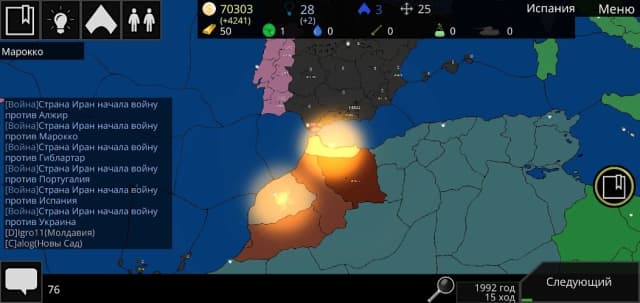
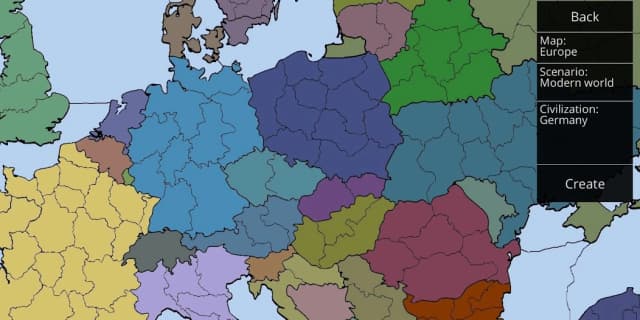
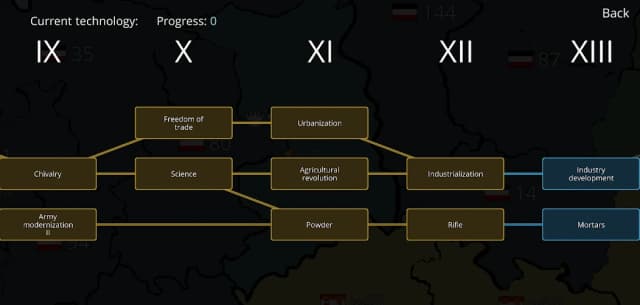
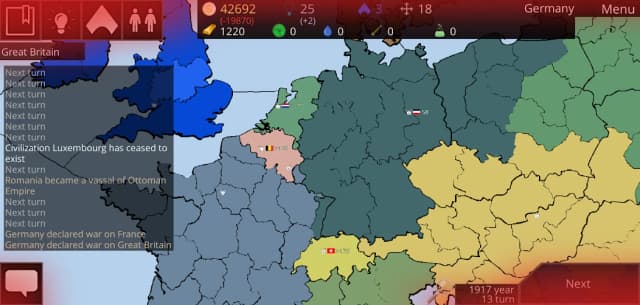
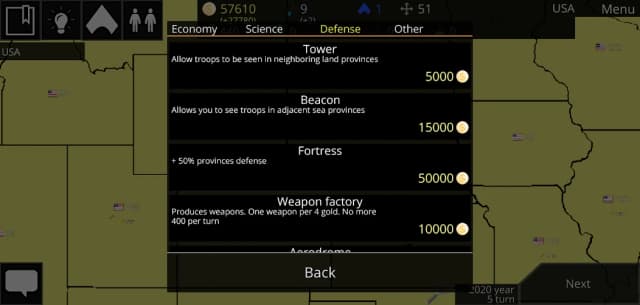
Cold Path Mod APK brings this turn-based strategy experience to Android players seeking calculated global conquest. Every turn asks whether diplomacy, technology, construction, or military pressure offers the strongest route forward. You can command nations, research technologies, develop fusion reactors, and capture territory across historical scenarios. Seven ideologies and selectable skills support different approaches, from careful negotiation to devastating weapon choices. Custom scenario tools also let creative strategists design conflicts before testing them against bots or players. This PureMods guide explains the verified mod listing, core mechanics, installation steps, and practical opening tactics. Read carefully before downloading, because the supplied mod notes identify no specific unlocked gameplay benefits.
Cold Path Mod APK Features
- Mod-labeled Android package: The supplied release information identifies version 2.2 as a modded package. However, its publisher notes do not explain which files, rules, or systems were altered.
- No unsupported cheat claims: This release is not documented as an unlimited money mod, god mode build, or advertisement-free edition. No unlocked features, free technologies, or automatic victories are promised by the available listing.
- Complete strategic framework: The package retains the documented Cold Path gameplay foundation, including research, buildings, skills, ideologies, territorial conquest, different weapons, and fusion reactors.
- Multiple ways to compete: Players can challenge bots, create a Wi-Fi hotspot for local sessions, or connect with strategists through global servers.
- Creative scenario support: The scenario editor remains a major attraction for designing custom conflicts. Maps can also be created through the separate open-source Map Editor described by the game information.
What Makes Cold Path Mod APK Special
Cold Path stands apart because victory is built through interacting strategic systems instead of a single combat loop. Research can open buildings and capabilities, ideology shapes your broader direction, and selected skills help reinforce a preferred playstyle. Meanwhile, diplomacy and weapon choices create very different paths toward world conquest.
The mod listing itself is unusually brief: it labels the Cold Path APK as “Mod” without naming a menu, resource adjustment, or removed restriction. That matters when setting expectations. Players should treat this as a modified Android package rather than assuming it includes unlimited currency or every technology from turn one. PureMods presents the disclosed version information without inventing undocumented benefits.
Its real flexibility comes from the underlying game. You can practice against bots, build a specialized historical or fictional scenario, organize local matches through a creator-hosted Wi-Fi hotspot, or join global servers. Few mobile strategy games combine conquest, technology progression, ideologies, scenario design, and several multiplayer routes in one compact ruleset.
About Cold Path
Cold Path: Turn-based strategy is a strategy game for Android centered on national leadership and territorial expansion. The developer or publisher is not identified in the supplied release information. Players manage a country, construct buildings, research more than fifty technologies, choose skills, and use diplomacy or different weapons to defeat rivals. Several scenarios draw on historical events, while editors support original scenarios and community-shared maps. Single-player matches use bots, and multiplayer is available through local hotspot connections or global servers. The listed Cold Path for Android release is version 2.2.
How to Play Cold Path: Strategy Guide and Tips
Begin by examining your territory, available construction choices, research options, neighbors, and chosen ideology. Cold Path gameplay advances in turns, so every action should serve a longer plan. Early expansion may look tempting, but capturing land without supporting technology or infrastructure can leave your position exposed to a better-developed opponent.
- Build an economic and research base: Prioritize structures and technologies that improve future options. A strong opening creates more useful choices later than an immediate attack with limited support.
- Follow a focused technology route: With more than fifty technologies available, researching everything without direction can waste valuable turns. Decide whether your current scenario rewards construction, military pressure, advanced energy, or another capability, then progress accordingly.
- Match skills with ideology: Select abilities that reinforce your strategic identity. A diplomatic plan needs different support from an aggressive expansion strategy, so avoid choosing upgrades only because they appear powerful individually.
- Watch borders before attacking: Identify which rival could exploit your advance. Conquering one enemy becomes costly when another opponent enters an undefended region during the same campaign.
- Use weapons with a clear objective: Conventional and nuclear options can change a match dramatically, but force alone does not replace development. Commit weapons when they secure territory, stop an immediate threat, or break a decisive stalemate.
- Practice scenarios against bots: Single-player games provide a useful environment for learning research timing and expansion pacing before facing human opponents on local or global multiplayer.
- Test custom scenarios methodically: After using the scenario editor, play from different starting positions. This reveals unfair borders, resource imbalances, or technological advantages that may not be obvious during creation.
For multiplayer, agree on the session format before starting. Local play requires the creator to establish a Wi-Fi hotspot and other participants to connect to it. Global play instead uses one of the available servers. In either mode, patient scouting and planned technology choices usually produce more consistent results than constant expansion.
How to Download and Install Cold Path Mod APK
- Review the release details: Confirm that the listed file is Cold Path Mod APK version 2.2 and remember that the supplied mod note does not specify individual alterations.
- Start the download: Download now from PureMods and wait until the Mod APK download finishes completely before opening the file.
- Permit manual installation: Open your Android security settings and enable Unknown Sources for the browser or file manager used to open the package. On newer Android versions, this permission may appear as “Install unknown apps.”
- Open the package: Find the downloaded Cold Path APK in your downloads folder, tap it, and select the installation option shown by Android.
- Complete installation: Wait for Android to finish processing the package, then launch Cold Path from the confirmation screen or application list.
- Check the game version: Verify that the installed release matches version 2.2. Before replacing an existing installation or seeking the latest Cold Path update, preserve any locally stored scenarios or progress you cannot recreate.
If Android blocks the installation, confirm that permission was granted to the exact app opening the file. A browser and a file manager can have separate installation permissions. Avoid interrupting the process or opening an incomplete download.
FAQs About Cold Path Mod APK
Does this release provide unlimited money or instant research?
No such benefits are documented. The supplied notes call the package a mod but do not advertise unlimited money, instant technologies, unlocked buildings, or automatic victories.
Which version of Cold Path is offered on this page?
The provided release data identifies version 2.2. Check the displayed file information before installing or replacing another build.
How does local multiplayer work?
The match creator establishes a Wi-Fi hotspot on their device. Other players connect their devices to that hotspot before joining the locally hosted session.
Can I create my own Cold Path scenarios and maps?
Yes. Cold Path includes a Scenario Editor for custom conflicts. The documented game information also references a separate open-source Map Editor for creating and sharing maps with the community.
Why does Android refuse to install the downloaded APK?
The browser or file manager may lack permission to install unknown apps, the download may be incomplete, or an existing package may conflict with the new file. Review the Android prompt before changing anything.
What should I research first as a beginner?
There is no universal first technology because scenarios and starting positions differ. Choose research that supports immediate construction, stabilizes your territory, or advances the specific military or diplomatic plan you intend to follow.