Earn to Die (Money Mod — drive through zombie hordes and escape alive)
Fast Download : Download this app by PureMods App with faster speed.
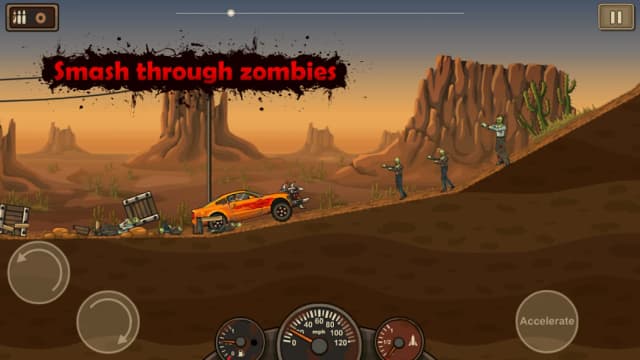
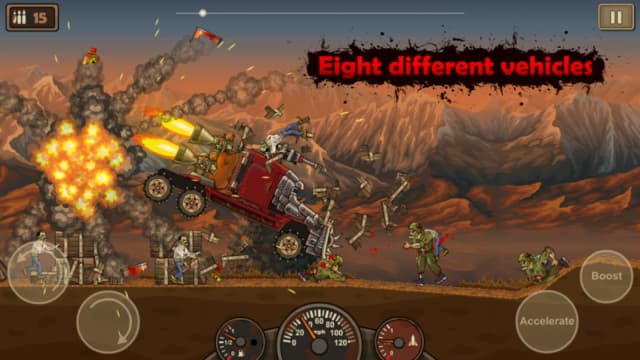
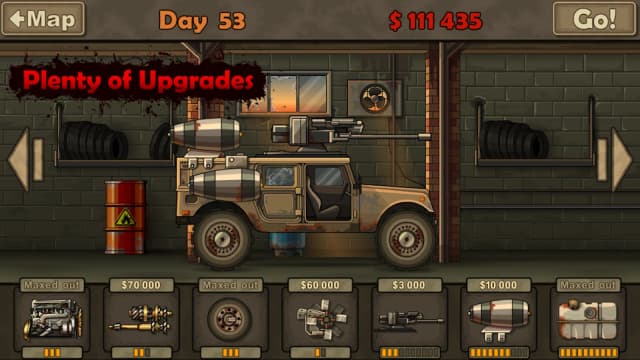
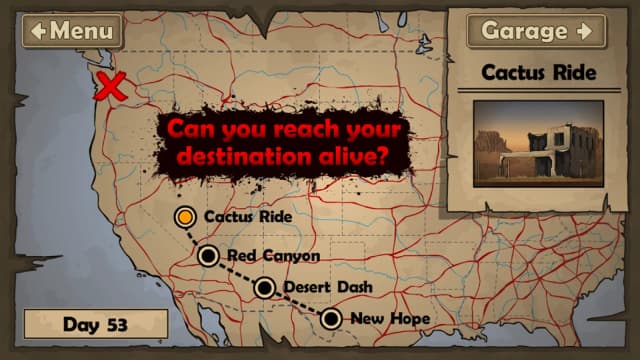
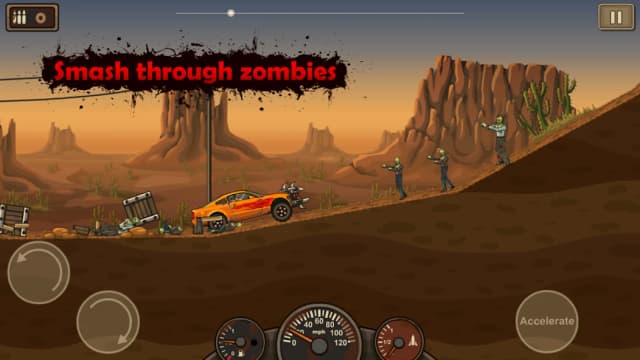
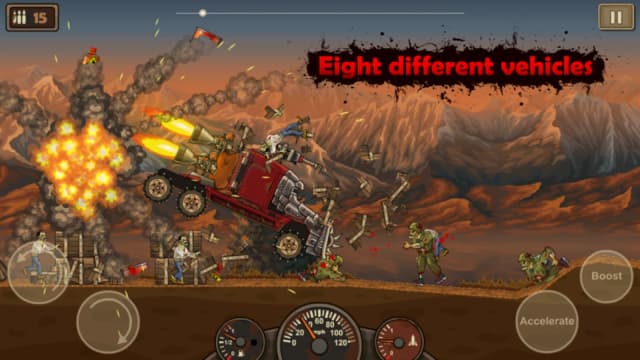
Earn to Die Mod APK puts your upgrade budget ahead of the zombie hordes chasing you. That matters when your battered car runs out of fuel before reaching the next stretch of desert. Instead of waiting through repeated cash runs, you can focus on tuning the vehicle for distance. Boost your engine, expand the tank, and plan how to handle zombies that steal your momentum. The money mod changes spending pressure, but steering, timing, fuel management, and rough terrain still demand attention. Whether you chase story progress or faster Championship runs, smart driving remains the heart of every attempt. Here is what the mod actually offers, plus practical driving advice and installation steps for Android.
Earn to Die Mod APK Features
- Unlimited money: The documented mod changes the game's money supply, giving you more freedom to spend in the garage. You can concentrate on building a vehicle that suits the next stretch instead of saving up through repeated short drives.
- More room to experiment with upgrades: Put that money toward the game's available engine, fuel-tank, booster, weapon, and other vehicle improvements. Try a distance-focused setup, then adjust it if zombies or uneven ground keep stopping your run.
- Less pressure when changing vehicles: Earn to Die offers different vehicles to unlock and customize. The money mod makes it easier to plan purchases around the ride you want to develop, although the mod description does not say vehicles start unlocked.
Those are spending advantages, not a promise of god mode, automatic victories, unlocked skins, or ad removal. Driving skill still matters when your fuel runs low or the car lands badly.
What Makes Earn to Die Mod APK Different?
The usual Earn to Die loop rewards each attempt with cash: drive as far as possible, return to the garage, buy a useful improvement, and push farther next time. The unlimited money mod shifts your attention from earning enough for the next purchase to deciding which purchase helps. That is especially relevant early on, when the starting car cannot travel far on its small fuel reserve.
Think of the garage as a way to solve the problem that ended your last run. If the tank emptied while the car was still moving well, fuel capacity is a sensible priority. If the engine struggled on a slope, more power may help. If zombie collisions repeatedly killed your speed, consider an available weapon or a sturdier setup. These are choices within the original vehicle-upgrade system; the documented mod advantage is money, not new equipment or altered driving physics.
That distinction keeps the challenge recognizable. A well-funded car can be easier to prepare, but acceleration at the wrong moment can still waste fuel, and a poor landing can still cost momentum. Treat the mod as extra freedom to test builds, not as a substitute for learning the route.
About Earn to Die
Earn to Die is an action-focused driving game set in a zombie apocalypse. Stranded in a desert, you drive toward safety through separate stretches packed with obstacles and zombies. Each attempt ends when the vehicle can go no farther; you then return to the garage to improve it for another run. The game combines vehicle upgrades with physics-based driving, and its Android version includes Story, Championship, and Halloween modes. Its described lineup contains eight vehicles, including a race car, a truck, and a school bus. The supplied game information does not identify a developer or publisher, so none is attributed here.
How to Play Earn to Die: Driving Tips
Earn to Die gameplay is built around incremental progress. Start a run, hold the gas to move forward, and use the tilt controls on the left to keep the vehicle balanced. The controls on the right handle gas and acceleration, while purchased weapons fire automatically. Cross as much of the level as your fuel and momentum allow. When the run ends, review what stopped you, visit the garage, and prepare for another attempt.
- Watch the nose of the car: On a jump or steep drop, tilt to improve your landing. Hitting the ground awkwardly can erase speed you need for the next hill.
- Do not spend acceleration blindly: Save an available boost for a difficult climb or a section where extra speed will carry you past a zombie crowd. Using it where the car already rolls freely gives you less benefit.
- Diagnose each failed run: A fuel shortage, weak climb, and zombie slowdown call for different upgrades. Use your garage budget to fix the recurring obstacle rather than buying parts at random.
- Plan for the next stretch: Once you can reliably pass the opening section, pay attention to what happens farther ahead. A build that clears one crowd may still need more fuel to reach the next checkpoint.
For Championship Mode, the goal changes from simply extending a run to posting a better time. Smooth landings and sustained speed become especially valuable there. Halloween Mode provides a different target with pumpkins to smash, but the same habit of controlling the car's balance remains useful.
How to Download and Install Earn to Die Mod APK
Before installing an Earn to Die APK, check the version shown on the PureMods page against the version you intend to use. The supplied listing identifies version 1.0.40; do not assume that number represents the latest Earn to Die update without checking the current page details.
- Open the Earn to Die Mod APK page on PureMods and review its listed version and money-mod details.
- Tap the download button to begin the Mod APK download. Wait for the APK file to finish downloading before opening it.
- When Android asks for permission, enable Unknown Sources or allow installations from the app you used to open the file. The wording and location of this setting can vary by Android version.
- Open the downloaded APK, follow the on-screen installation prompts, and wait for installation to complete.
- Launch the game and check the garage before planning your first vehicle upgrades. If Android blocks installation, review the permission for the app opening the APK and confirm you have enough free storage.
Download now from PureMods to get Earn to Die for Android and start planning a better route through the zombie-filled desert.
FAQs About Earn to Die Mod APK
Does the money mod unlock every vehicle immediately?
No such unlock is documented. The stated modification is unlimited money; follow the game's vehicle-unlock requirements where they still apply.
Which upgrade should I buy first when fuel runs out early?
Start with fuel capacity if the car otherwise maintains speed. If it struggles to move or climb, consider an engine upgrade alongside the larger tank.
Do I have to aim purchased weapons myself?
No. The supplied gameplay description says purchased weapons are used automatically, so concentrate on steering, balance, and momentum.
Can the mod prevent zombies from slowing my car?
The documented mod affects money, not collisions. Zombies can still cost speed; use your available vehicle upgrades and approach crowded stretches with enough momentum.
What should I check if the APK will not install?
Confirm that the download completed, check available storage, and review Android's permission to install unknown apps from the app opening the file. Read any specific error message before trying again.
Is version 1.0.40 the latest Earn to Die update?
Version 1.0.40 appears in the supplied listing, but that alone does not establish whether it is the latest release. Check the current version displayed on PureMods before downloading.