Gacha Club (Money Mod — anime character dress-up and Studio scenes)
Fast Download : Download this app by PureMods App with faster speed.
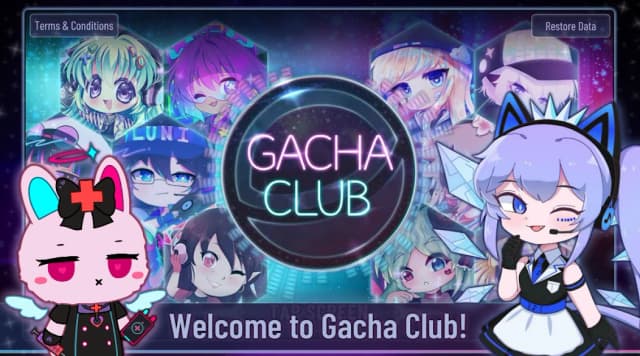
Gacha Club Mod APK brings a money mod to an anime playground of character creation and battles. If you enjoy dressing chibi heroes and building teams, this version puts spending decisions in focus. The original already makes character customization free, so extra money matters most when exploring progression. Build scenes in Studio, then collect battle units and test your lineup across four distinct modes. Mini-games supply gems and bytes, while materials help enhance units, awaken them, and improve skills. This guide separates the stated money modification from standard features so you know what to expect. Follow the Android installation steps and practical starter tips before jumping into your next session.
Why Gacha Club Mod APK Stands Out
The listed modification is straightforward: money. That makes this an unlimited money mod, not a promise that every collectible or resource is unlocked. Gacha Club uses several resources, including gems, gold, bytes, and upgrade materials. The mod listing does not specify which in-game balance it changes, so check the displayed amounts after installation before planning purchases around it. Do not assume that gems, battle units, pets, skins, or skills arrive unlocked.
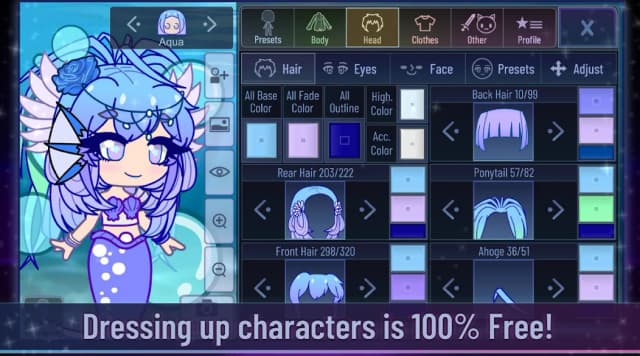
That distinction matters because Gacha Club has two different attractions. You can spend time making characters and Studio scenes without buying customization items in the original game; its character customization is already free, with no in-app purchases. The money modification is therefore best understood as an addition to the listed build, not as a key to a previously paid wardrobe. The draw is still the mix of visual storytelling, collecting, and battles, with a modified money balance to inspect as you play.
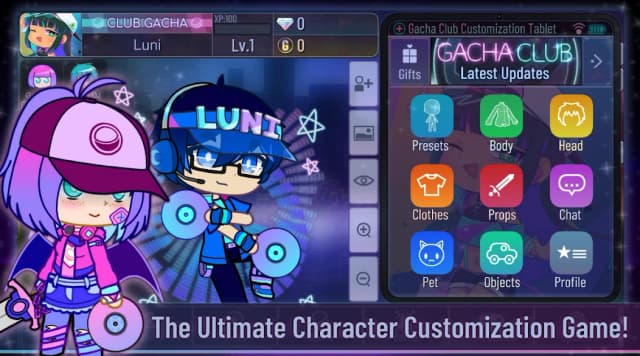
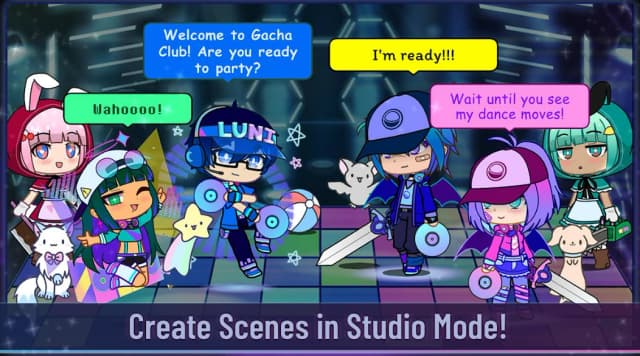
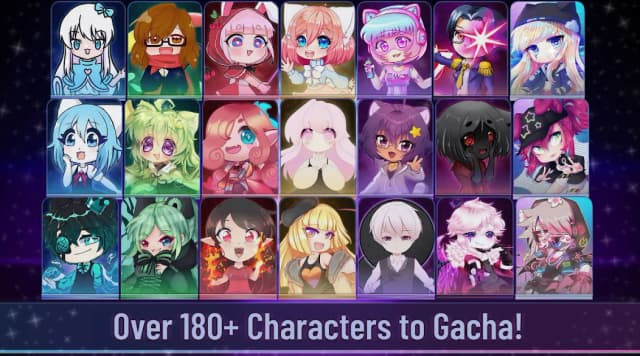
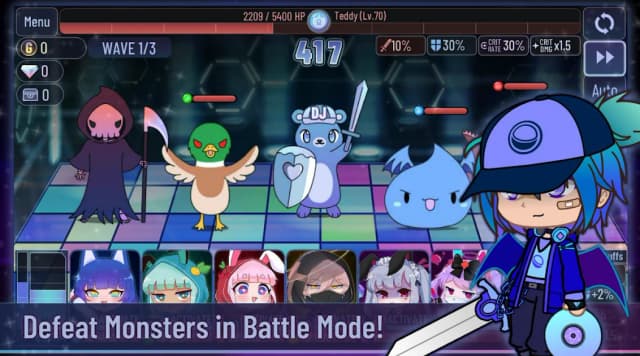
About Gacha Club: Lunime's casual anime-style game combines character creation, scene building, gacha collecting, mini-games, and team battles. You can customize 10 main characters and 90 extra characters, then arrange characters, pets, objects, backgrounds, and dialogue in Studio. Battle play offers Story, Training, Tower, and Shadows of Corruption modes. Gacha draws provide units and pets, while gems, gold, and materials support progression. Mini-games such as Usagi vs Neko and Mascot Whack provide another way to collect resources. The original Gacha Club APK offers free character customization and lists no in-app purchases; those are base-game features, not mod-exclusive unlocks.
Player Experience: Where the Money Mod Fits
One useful way to approach a session is to separate its creative and battle goals. Start with a character concept: choose a hairstyle and outfit, adjust colors, and add a pet or prop that suits the scene. In Studio, place a small cast against a fitting background and use text boxes to establish who is speaking. Face presets can quickly change an expression, while the Narrator helps connect scenes into a story. You can save and load up to 15 scenes, so keep a scene you like before trying a different composition.
Then switch to the collecting side of Gacha Club gameplay. Draw units, check what your team needs, and gather materials for enhancements or awakening. The listed money mod may change how you handle the money balance shown in your build, but it does not replace those separate activities or establish that every resource is unlimited. For a clearer sense of its effect, note your balance before and after an action that normally uses money. If you are mainly making Studio stories, enjoy the editor on its own terms rather than expecting the mod to reveal an otherwise locked creation tool.
Gacha Club Mod APK Features
- Money modification: The supplied mod information identifies a money mod. Its exact in-game currency mapping is not specified, so inspect the balance in your installed build instead of assuming all resources are affected.
- More room to assess spending: A modified money balance can change how you approach money-based decisions. It does not mean gems, bytes, gold, or upgrade materials are automatically modified.
- Clear scope for collectors: This is not advertised as an unlocked-units or unlocked-features package. Battle units and pets remain part of Gacha Club's collecting systems unless your installed build shows otherwise.
That narrow feature list is intentional. Gacha Club for Android already includes its dress-up tools, Studio editor, battle modes, and mini-games. Calling those standard features mod bonuses would make it harder to judge what the Gacha Club Mod APK actually adds. Likewise, the supplied information does not establish god mode, ad removal, unlocked skins, or unlimited gems, so none of those should drive your expectations.
Beginner Guide: How to Play Gacha Club
Begin in character creation. Pick one of the main character slots, set the body and face, and work from broad choices to fine details: hairstyle and clothing first, then colors, accessories, and pose. The game offers 600 poses, but you do not need to browse them all immediately. Choose one that makes your character's expression and outfit easy to read. When you want to tell a story, open Studio, place characters and pets, select a background, and add dialogue. A short exchange between two characters is easier to refine than a crowded first scene.
For battles, draw units and compare your available choices before committing upgrade materials. Try Training to get familiar with your lineup, then move into Story or Tower as you build confidence; Shadows of Corruption is another battle mode to explore. Materials are used to enhance and awaken units and raise skill levels, so review what a unit needs before investing. Mini-games offer a change of pace and can earn gems and bytes for further gacha draws. If progress feels slow, alternate between collecting resources and strengthening the units you already have instead of drawing without a plan.
Install Gacha Club Mod APK on Android
Ready for a Mod APK download? Review the version and listed mod details on the PureMods page before installing. The supplied listing identifies version 1.1.0; do not assume it is the latest Gacha Club update without checking the page's current version label.
- Open the Gacha Club Mod APK page on PureMods and review the displayed version and money-mod description.
- Tap the download button and wait for the Gacha Club APK file to finish downloading.
- When Android requests permission, enable Unknown Sources or allow installs from the app you used to open the file. The wording varies by Android version.
- Open the downloaded APK, follow the installation prompts, and tap Install.
- Launch Gacha Club and check its displayed money balance before relying on the mod during play.
If you already have game data you value, consider your backup options before changing installations; progress transfer between different builds is not guaranteed. If installation fails, check available storage and the permission you granted for opening the APK. Download now from PureMods when you are ready to set up your next character and battle team.
FAQs About Gacha Club Mod APK
Does the money mod also provide unlimited gems?
The supplied mod information says money, not unlimited gems. Check the relevant balances in the installed game rather than treating separate currencies as interchangeable.
Are outfits and Studio tools unlocked by the mod?
The original game already provides free character customization and Studio tools. The listing does not claim additional unlocked features or skins.
Which battle mode should a new player try first?
Try Training to learn your available units, then use Story to build a sense of progression. Tower and Shadows of Corruption offer other battles once you are comfortable with your lineup.
What should I do if the game begins to lag?
The game's notes suggest restarting if lag develops over time. They also warn that older devices and devices with 4K screens may experience lag; check available storage if glitches occur.
Will installing another build preserve my characters and scenes?
Progress transfer is not guaranteed. Check your backup options before changing builds, especially if you have saved Studio scenes or customized characters you want to keep.
How can I tell whether the listed version is current?
Compare the version shown on the PureMods page with the version you intend to install. The supplied listing says 1.1.0 but does not establish that it is the latest Gacha Club update.