Going Deeper! - Colony Building Sim (Unlocked Mod — manage a fantasy colony and face goblin hordes)
Fast Download : Download this app by PureMods App with faster speed.
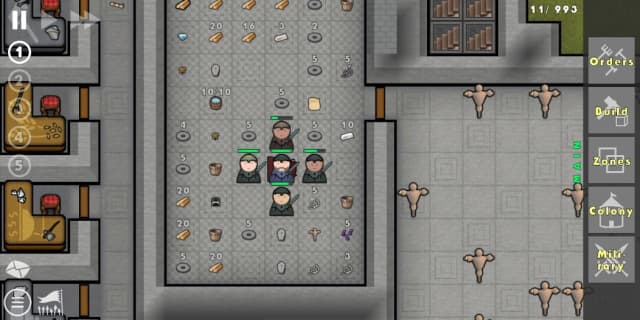
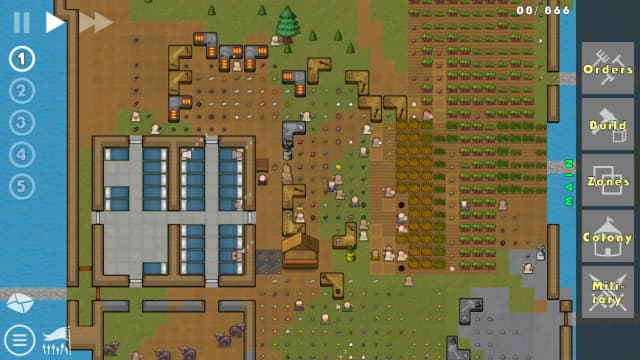
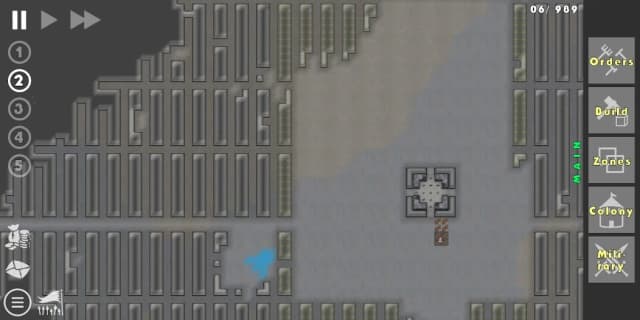
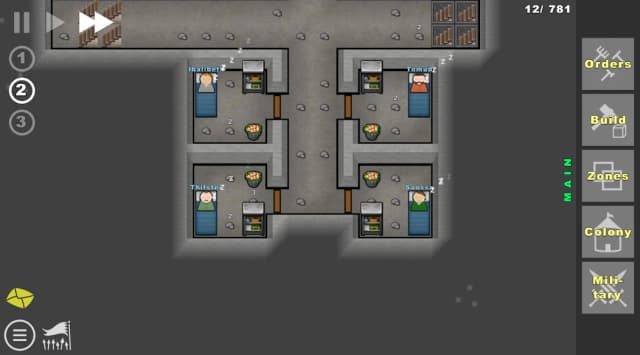
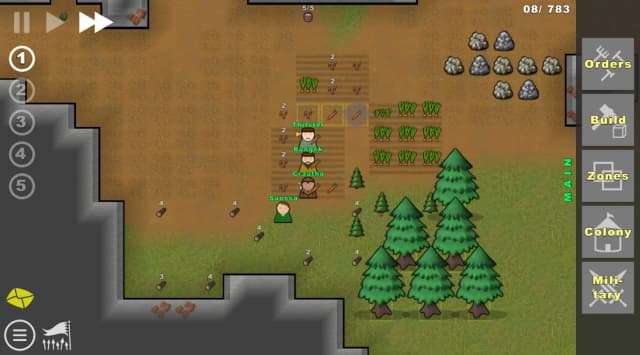
Going Deeper! - Colony Building Sim Mod APK puts your underground leadership skills against increasingly dangerous odds. Five distinctive colonists begin an expedition where equipment choices shape every mining and building decision. Rich deposits await below the surface, but goblin hordes make careless expansion a costly gamble. Your job is to balance individual needs, develop useful skills, and prepare reliable defenses early. The listed modification is unlocked, although its exact scope deserves attention before you start digging. This guide explains that listing, practical colony strategies, and the Android installation process through PureMods. Bring a thoughtful plan, because a thriving settlement needs more than another tunnel into darkness.
Going Deeper! - Colony Building Sim Mod APK Highlights
- Unlocked modification: The supplied mod information identifies this build as unlocked. It does not specify which content, restrictions, or purchases this modification affects, so individual unlocks cannot be confirmed.
That distinction helps you choose a download with realistic expectations. The documented mod advantage is its unlocked status; the listing provides no detailed feature breakdown. Before downloading, check whether the PureMods page supplies additional information about what becomes accessible in this particular build.
Mining, crafting, colony growth, and combat squads belong to the original game. They remain central to the experience, but they should not be mistaken for benefits introduced by the modification.
About the Original Colony Simulator
Going Deeper! : Colony Sim is a fantasy strategy and colony management game for Android. You lead five initial units, choose expedition equipment, extract resources, and expand a settlement across the surface and five underground levels. Colonists have individual needs, skills, and quirks, while crafted weapons and armor support defense against goblins. A merchant visits every two years with items you cannot craft yourself. Campaign supplies missions, Survival tests endurance, and Sandbox lets you customize the world. The reference identifies version 0.6.2 but does not name the developer or publisher.
Pro Tips for Going Deeper! Gameplay
The strongest starting plan connects equipment, labor, and protection. Going Deeper! gameplay rewards preparation because richer underground resources arrive alongside greater threats. Treat each descent as a decision about whether your existing colony can support another commitment.
- Choose equipment around your opening priorities. Starting supplies influence your tactics. Decide how you want to approach extraction, crafting, and defense before choosing what the expedition carries.
- Review all five starting colonists. Their different skills and needs make them more than interchangeable workers. Match responsibilities to their strengths, and reconsider that balance as your population grows.
- Connect mining to useful production. Before pursuing another resource deposit, identify what you intend to build or craft with it. This gives excavation a purpose and helps you prioritize competing projects.
- Prepare protection before pushing deeper. Craft weapons and armor, then organize a fighting unit. Sending attention and labor underground without considering goblin attacks can leave your wider settlement exposed.
- Plan for the merchant. Visits occur every two years, and some traded items cannot be crafted locally. Think about which gaps in your colony would benefit most from those opportunities.
For a practical example, imagine choosing between further excavation and equipping defenders. Ask what the next deposit will actually enable, then compare that benefit with your current protection. A valuable find means little if the colony cannot withstand the threats accompanying expansion.
Choose Campaign when you want mission objectives, Survival when endurance is your focus, or Sandbox when you want to experiment with world customization. These are original game modes, not confirmed mod unlocks.
Understanding the Unlocked Mod Benefit
The appeal of an unlocked build is access, but this listing leaves the boundaries of that access unspecified. It would be misleading to promise particular unlocked features without a detailed changelog or description identifying them. Use the documented label as a starting point when reviewing the download.
The strategic challenge still revolves around managing people and resources. There is no supplied evidence that this modification changes colonist needs, removes goblin threats, alters merchant visits, or bypasses crafting requirements. Base your expedition plan on the original mechanics described above.
Version information matters, too. The reference lists 0.6.2 and notes that the game may be unstable. When checking the latest Going Deeper! update on PureMods, compare its version and release notes with your installed build rather than assuming this reference represents the newest release.
How to Install Going Deeper! - Colony Building Sim Mod APK
Ready to organize your underground expedition? Download now from PureMods, after reviewing the version and available mod details. Follow these steps for the Going Deeper! APK installation:
- Review the download page. Check the listed version, unlocked mod description, and any installation notes. The supplied reference version is 0.6.2.
- Download the APK. Use the PureMods download control and wait until the file finishes downloading before opening it.
- Allow installation when prompted. Enable Unknown Sources if your Android version uses that setting. On newer versions, allow installation from the specific browser or file manager opening the APK.
- Open the downloaded package. Locate it in your downloads, tap it, and select Install. Follow any additional instructions displayed by Android.
- Launch and review the game. Open the installed app, check the available options, and choose your preferred mode. You can disable the installation permission afterward.
If installation fails, note the exact Android message before trying again. An incomplete file or a conflict with an existing installation can require different solutions. Preserve any existing progress before making changes to an installed copy.
FAQs for Your Underground Expedition
What exactly does the unlocked label include?
The source confirms only “unlocked,” without naming affected content or restrictions. Check the PureMods listing for a more detailed breakdown before expecting specific unlocks.
Which mode should a new player choose?
Campaign suits players who prefer mission objectives. Sandbox offers world customization for experimentation, while Survival focuses on how long your colony can endure.
How far underground can the colony expand?
The world has six layers: the surface and five underground levels. Deeper exploration offers richer resources while exposing your settlement to greater dangers.
Why does the initial equipment selection matter?
Your expedition supplies shape early tactics. Choose equipment with your intended approach to resource extraction, production, and colony protection in mind.
When does the merchant arrive?
A merchant visits every two years and offers items you cannot craft yourself. Plan purchases around capabilities your colony needs rather than choosing items without a purpose.
Does the unlocked build fix stability problems?
No stability fix is documented in the supplied mod information. The reference warns of possible instability, so review version notes for specific fixes before updating.