Mazes & More (Hints Mod — swipe through 2D retro mazes)
Fast Download : Download this app by PureMods App with faster speed.
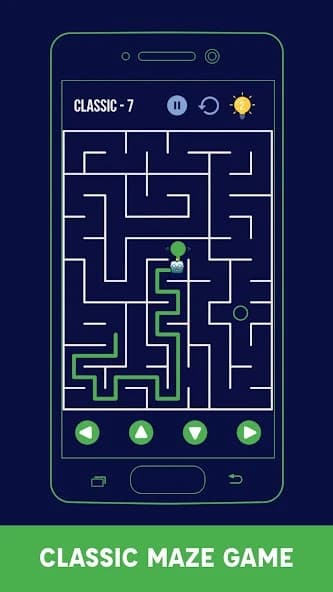
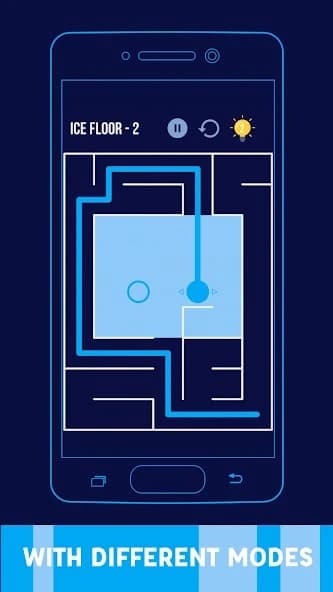
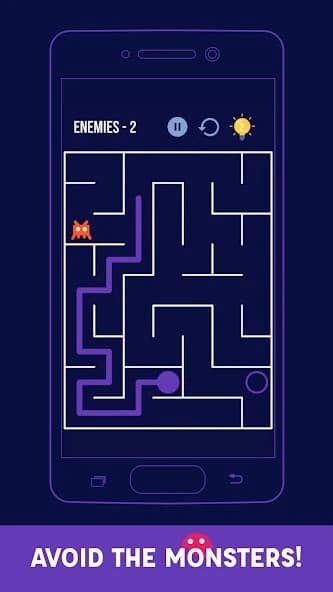
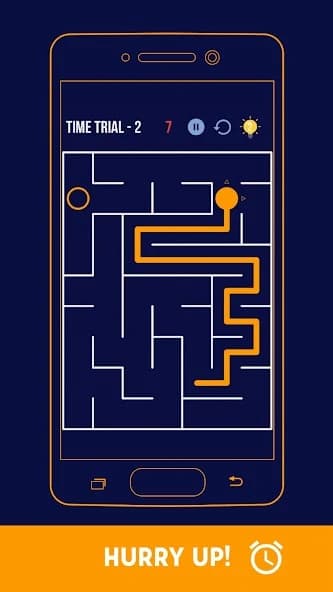
Mazes & More Mod APK turns every tricky dead end into a manageable challenge with unlimited hints. This streamlined puzzle adventure keeps the retro charm while giving frustrated players dependable guidance whenever needed. Guide your chosen avatar through handcrafted labyrinths using simple taps or swipes across clean two-dimensional layouts. Six varied categories add enemies, darkness, slippery floors, traps, speed pressure, and classic navigation challenges. With roughly 450 levels available, short breaks can easily become satisfying sessions of focused route-finding. The modified build removes hint scarcity, letting you recover from confusing junctions without grinding or guessing. For Android puzzle fans, that advantage makes tougher mazes approachable without erasing their rewarding logic.
Mazes & More Mod APK Features
- Unlimited hints: Request guidance whenever a complicated layout leaves you circling the same corridors. Unlike the standard hint system, the mod prevents this useful assistance from running out during longer puzzle sessions.
- Help across every maze category: Unlimited hints remain valuable when Classic navigation gives way to Enemies, Ice Floor, Darkness, Traps, or Time Trial challenges. Each category changes how confidently you can inspect and follow a route.
- Fewer stalled sessions: A difficult junction no longer has to end your run. Use a hint to restore momentum, study the suggested direction, and continue solving the remaining route yourself.
- Accessible advanced puzzles: Later labyrinths can become significantly more intricate. The supported unlocked feature provides repeatable guidance without claiming unrelated coins, skins, god mode, or an unlimited money mod.
The modification is focused rather than overloaded: its documented advantage is unlimited hints. Regular game options, including avatars, path colors, level skipping, and special modes, belong to Mazes & More itself and should not be mistaken for extra mod benefits.
What Makes Mazes & More Mod APK Special
Many puzzle mods remove so much resistance that solving stops feeling meaningful. Mazes & More Mod APK takes a more balanced route because hints offer direction without automatically drawing every complete solution. You can still examine walls, remember explored branches, and decide how to reach the finish.
This is particularly useful in Darkness, where limited visibility tests memory, and Ice Floor, where movement behaves differently from ordinary corridors. In Time Trial, a quick hint can prevent wasted seconds at a misleading fork. Players learning Mirror Mode can also use guidance while adapting to reversed controls. The result is a forgiving experience that preserves the central route-planning challenge.
About Mazes & More
Mazes & More is a casual puzzle game associated with Maple Media through its official support information. Its minimalist retro presentation replaces complicated three-dimensional environments with clear square 2D labyrinths. Players move a dot or selected avatar from the starting position to the finish by tapping or swiping. The Mazes & More gameplay includes roughly 450 handcrafted, winnable levels across six categories: Classic, Enemies, Ice Floor, Darkness, Traps, and Time Trial. Additional options include 11 selectable characters, custom path colors, level skipping, Mirror Mode, Shuffle Mode, and Lightning Mode. The game also supports offline play and more than 57 languages.
How to Play Mazes & More: Practical Tips
Start by choosing an avatar, path color, and either tap or swipe navigation. Your objective is simple: guide the character through connected passages without crossing maze walls, then reach the marked finish. The difficulty comes from identifying productive branches while remembering which corridors lead back to dead ends.
- Scan before moving: On visible maps, locate the finish and trace backward through nearby openings. This often reveals the final approach before you commit to an early route.
- Use landmarks: Remember distinctive corners, long corridors, and enclosed blocks. Landmarks reduce repeated exploration, especially when Darkness hides parts of the layout.
- Plan around each category: Watch enemy positions instead of rushing in Enemies. On Ice Floor, think beyond the next tile and anticipate where movement will stop. In Traps, inspect suspicious passages before choosing the shortest-looking path.
- Practice reversed input: Mirror Mode flips the controls, so make deliberate single moves until the mapping feels natural. Speed comes after accuracy.
- Spend hints strategically: Unlimited hints are available, but checking one after exploring a few branches teaches more than requesting guidance immediately. Treat each hint as route feedback rather than an automatic answer.
- Skip when necessary: The original game includes level skipping. Move forward when one layout becomes frustrating, then return with sharper pattern recognition after solving other mazes.
Shuffle Mode is useful for testing broad skills because it pulls puzzles from different categories. Lightning Mode and Time Trial reward quicker decisions, so learn layouts calmly before chasing speed. This approach makes Mazes & More for Android welcoming to beginners while leaving plenty of challenge for experienced maze solvers.
How to Download and Install Mazes & More Mod APK
- Review the version: Confirm that the listed Mod APK download matches version 2.4.4.RC-GP-Free(134), the supplied latest Mazes & More update information, and that unlimited hints are shown as the included modification.
- Get the package: Download now from PureMods and wait until the Mazes & More APK file finishes transferring before opening it.
- Allow installation: Open your Android security settings and enable Unknown Sources, or grant your browser permission to install unknown apps when prompted.
- Open the file: Locate the downloaded APK in your device downloads, tap it, review the installation prompt, and select the install command.
- Launch the game: After installation completes, open Mazes & More and verify that levels load correctly and the documented unlimited hints function is available.
- Protect existing progress: If another build is already installed, preserve any progress supported by your current setup before replacing it. Package or signature differences may prevent a direct update, in which case Android can require removal of the existing installation.
Return the unknown-app installation permission to your preferred setting afterward. When a future release appears, compare its version and documented mod information before updating rather than assuming every package includes identical features.
FAQs About Mazes & More Mod APK
Do unlimited hints solve an entire maze automatically?
No. Hints provide guidance when you are stuck, but navigating the remaining corridors and reaching the finish still requires player input and route decisions.
Does the mod include unlimited coins or money?
No unlimited coins or money feature is documented. Mazes & More Mod APK specifically lists unlimited hints, so unrelated mod claims should not be expected.
Which modes benefit most from unlimited hints?
Darkness, Ice Floor, Traps, and Time Trial can make route selection harder than Classic mode. Hints are especially useful at obscured, movement-sensitive, or time-critical junctions.
Can I still choose avatars and custom path colors?
Yes. Mazes & More includes 11 selectable characters and custom path colors as regular game features; they are not exclusive mod additions.
Why might the APK refuse to install over my current version?
The existing app and downloaded package may use different signatures, or the installed build may be newer. Preserve supported progress, remove the conflicting installation if necessary, and retry the setup.
How should I use hints without making puzzles too easy?
Explore several branches first, identify the junction causing trouble, and request a hint only there. This keeps the reasoning challenge intact while preventing one confusing section from blocking progress.