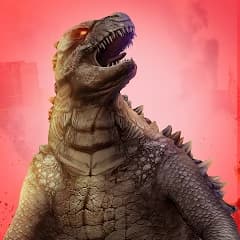
Monster evolution: hit and smash (Money Mod — smash cars and buildings)
Fast Download : Download this app by PureMods App with faster speed.
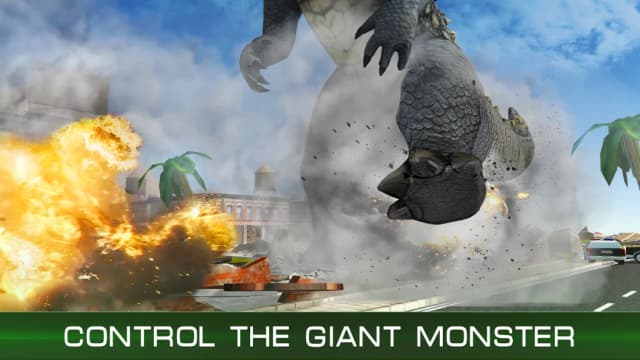
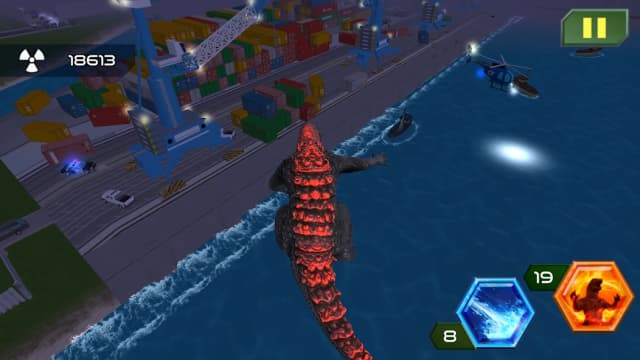
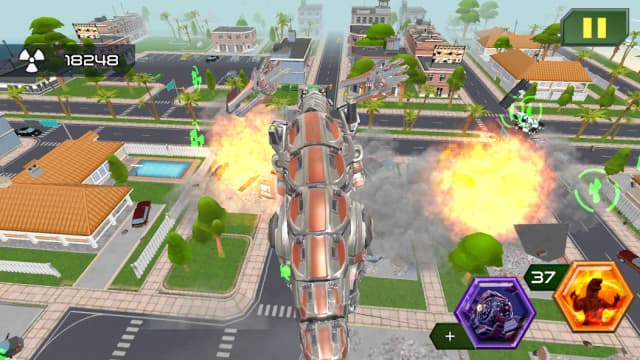
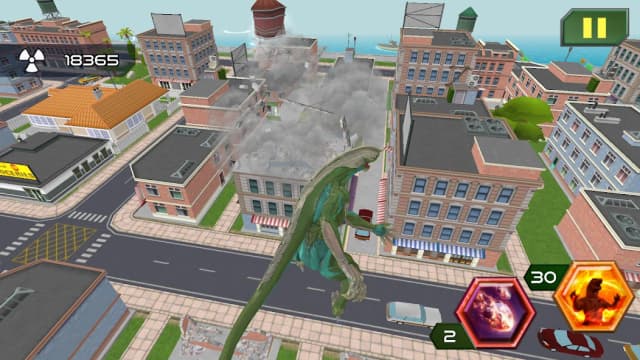
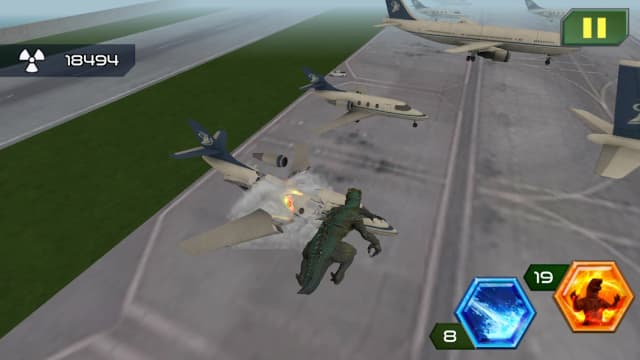
Monster evolution: hit and smash Mod APK puts unlimited money behind your towering monster's next citywide rampage. Instead of worrying about your budget, focus on choosing targets and building a stronger demolition machine. This third-person adventure sends a giant lizard through streets packed with buildings, vehicles, and breakable scenery. Quests open more levels, while free play gives you another route to gather useful resources. Growing your creature changes the feel of each smash, especially when larger obstacles start falling. The money mod supports that upgrade loop without promising invulnerability, unlocked monsters, or an advertisement-free experience. If you want purposeful destruction rather than random tapping, this guide shows where to start.
Monster evolution: hit and smash Mod APK Highlights
- Unlimited money mod: The stated modification is money, giving you more freedom to engage with the game's progression and monster upgrades. You can concentrate on your next build rather than repeatedly playing just to address a money shortage.
- More room to experiment: Try different upgrade priorities as your creature evolves. Extra money makes it easier to explore the progression system, although quests and other gameplay requirements may still apply.
- Less pressure on your route: Choose quests when you want to open levels, or head into free play for destruction and resources. The mod's money benefit lets you make that choice without treating every session as a budget-recovery run.
These highlights describe the listed money modification, not a package of unrelated unlocked features. The source information does not establish god mode, pre-unlocked monsters, unlocked skins, or removed ads, so none are promised here.
About the Original Monster Evolution Game
Monster evolution: hit and smash is a third-person adventure game for Android built around controlling an enormous, evolving lizard in a city. You direct the creature toward targets, destroy objects using the game's physics-driven action, and develop its power as you progress. Quests lead to more levels, while a free-play mode offers another way to earn resources. The game description lists more than 10 playable monsters, along with 3D graphics, monster sounds, and background music. Cars, trees, houses, and other large structures provide plenty of targets. A developer or publisher is not identified in the supplied game information, so no studio is attributed here.
Pro Tips for Monster Evolution: Hit and Smash Gameplay
Start by following a quest rather than rushing into the nearest building. Quests provide a clear objective and are the described route to opening more levels. Once you understand what a level asks of you, steer your monster toward its target and deal with breakable objects along the way. The attraction is not just the number of things you hit: cars, trees, and buildings create different-looking destruction as the creature moves through the environment.
When you want a less directed session, switch to free play and gather resources while testing the scenery. Look for a path that brings several destructible objects together instead of wandering between isolated targets. That keeps your movement focused and helps you learn which areas offer the most satisfying chain of impacts. The original description also mentions ships, gas stations, freight cranes, and even spacecraft among the objects you may encounter, so pay attention to each location's layout.
Spend resources with a goal in mind. If your current monster needs more power, check its available improvements before pursuing another long route through the city. As it evolves and grows, revisit targets that previously felt substantial; the change in scale is part of the appeal. The game also describes a RAGE ability, so look for opportunities to use it when you have a dense group of targets rather than triggering it simply because it is available. Specific controls or upgrade prices are not documented in the supplied details, so follow the prompts shown in your installed version.
What the Monster evolution: hit and smash Mod APK Changes
The original progression asks you to complete quests or use free play to collect resources for a stronger monster and potentially access others. This modified version is specifically described as a money mod. That matters because money is tied to the satisfaction of improving your creature and returning to the city with more destructive potential. With the unlimited money benefit, you can spend less attention on accumulating that currency and more on deciding which improvements suit your next run.
Money does not replace the underlying adventure. You still guide the monster, identify targets, and work through quests when you want to open more levels. Free play remains useful for learning the map and enjoying the destruction physics, even if earning money is no longer your main reason to enter it. Likewise, having money should not be read as a guarantee that every monster, appearance, or level starts unlocked. The supplied mod information names money only; it does not document changes to unlock conditions.
That narrower scope is worth remembering when looking for a Monster evolution: hit and smash APK. If a description claims every skin is unlocked, damage is disabled, or ads disappear, those are separate modifications and are not established for this package. For the latest Monster evolution: hit and smash update, compare the version shown on the PureMods page with the version you already have before installing. The supplied version is 2.3.0, but a future listing may differ.
How to Download and Install Monster evolution: hit and smash Mod APK
Ready to send your creature back into the streets? Download now from PureMods, and check the file details on the page before opening the installer. These steps cover the usual Android APK installation flow; the wording of settings can vary by device.
- Open the Monster evolution: hit and smash Mod APK page on PureMods and review the listed version and money modification.
- Start the Mod APK download and wait until the APK file has finished downloading. Avoid opening a partial download.
- If Android blocks installation, open its settings prompt and enable Unknown Sources, or allow installs from the app you used to open the file.
- Open the downloaded file, review the installation prompt, and tap Install. If Android reports a conflict with an existing installation, do not assume that removing it will preserve your progress.
- Launch the game after installation and check the in-game money behavior before planning upgrades. If you granted a temporary install permission, you can turn it off afterward.
Keeping the installation and version checks in order avoids unnecessary guesswork. The money modification is the documented benefit; the actual game still supplies the quests, free play, and city-smashing mechanics.
FAQs About Monster evolution: hit and smash Mod APK
Does unlimited money automatically open every monster?
No such automatic unlock is documented. The mod information specifies money, while the game description links progression and resources to strengthening your monster and potentially opening others.
Should I play quests or free play first?
Begin with quests if you want new levels and a clear objective. Choose free play when you want to explore destruction and gather resources at your own pace.
Will installing this APK preserve my existing progress?
Progress transfer is not established in the supplied information. Check how your current installation stores progress before replacing or removing it, especially if Android reports an installation conflict.
What version is identified for this Mod APK?
The supplied listing identifies version 2.3.0. Check the version displayed on PureMods when downloading, since listings can change over time.
Does the mod remove ads or add god mode?
Neither feature is documented. The stated modification is unlimited money; do not treat other advertised effects as part of this package without a specific listing.
What should I do if Android blocks the installation?
Use Android's installation prompt to allow the relevant app to install unknown apps, then reopen the completed APK download. You can disable that permission after installation.