One Million Coins: Mining Game Mod APK (Mod Menu)
Fast Download : Download this app by PureMods App with faster speed.
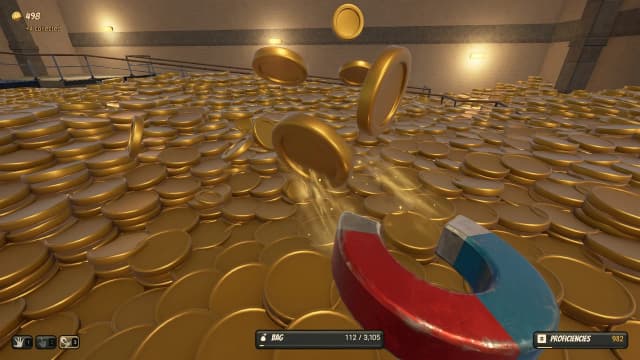
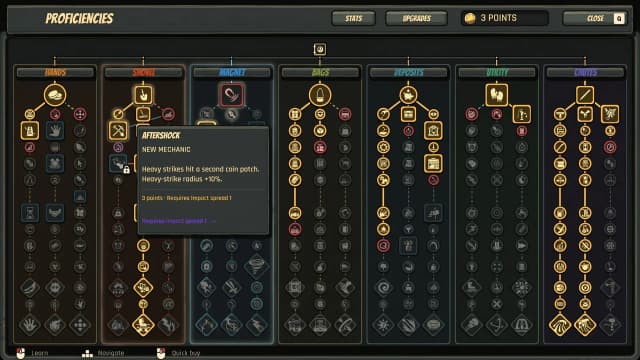
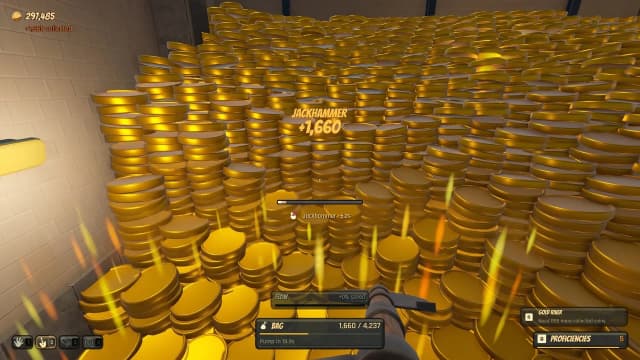
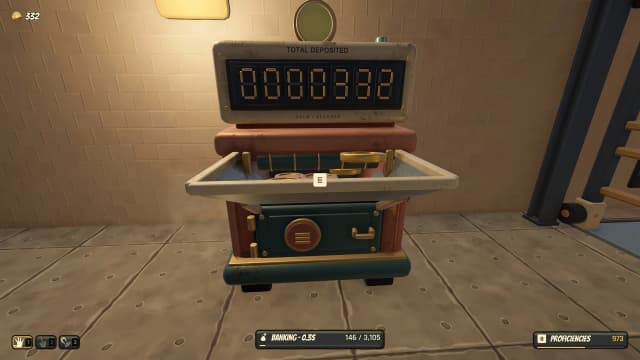
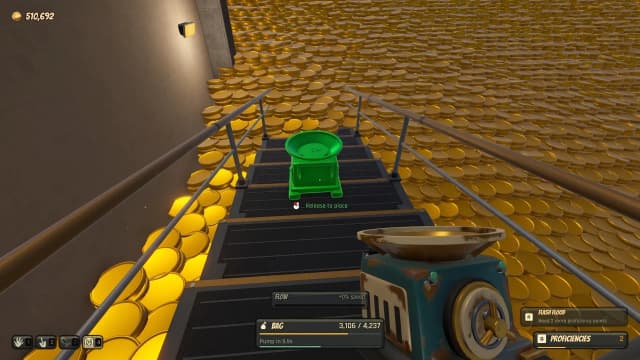
One Million Coins: Mining Game Mod APK drops you into a vault stacked with exactly 1,000,000 gold coins, hands you a pickaxe and a headlamp, and asks one question: how fast can you haul all of it out? Alpha Tea built that single idea into a tight incremental loop — dig, bag, bank, upgrade — and this build removes the slowest part of it. No twenty-minute grind before your first tool tier. With the mod menu open you decide when the money arrives, so all that is left is the very satisfying sound of a mountain of gold caving in.
One Million Coins: Mining Game Mod APK Features
- Mod Menu On Tap — A floating panel puts coin balance, movement speed, jump height and time control in one place, so you tune the run instead of grinding toward it.
- Unlimited Coins — The 250,000-coin industrial drill stops being a milestone. Push the counter and buy it on your first trip underground.
- Every Tool Unlocked — Pick tiers, harvesting rigs and passive collectors are live from the start, which means you can skip straight to the vault's fast phase.
- No Skill Restrictions — Tool skills and proficiency no longer gate your upgrades, so the entire tree is open in the first minute.
- Faster On Foot — Boosted sprint speed and a higher jump cut the walk between tunnel and bank down to a couple of seconds.
- Time Control — Slow the run when you are chaining deposits, or speed it up when you just want the counter to climb.
What Makes This Mod Special
The original is built on tension. Every coin you bank is a coin you could spend, and every upgrade fights for the same wallet. That push and pull is clever, but it also means the first hour is mostly patience. A plain unlimited money mod just inflates the counter; this one hands you the controls, so the game becomes about optimization instead of waiting.
What keeps it from turning into a pointless number screen is the goal itself. This is not an endless idle game — the vault holds a finite 1,000,000 coins, and the run ends when the last one is banked. With unlimited coins you stop worrying about affording the next machine and start using the unlocked features to engineer a ridiculous harvesting chain: maximum pick speed, full automation, a bag that empties itself. You are not breaking the game so much as fast-forwarding to the part the developer clearly wanted you to enjoy.
About One Million Coins: Mining Game
One Million Coins: Mining Game comes from Alpha Tea and sits in the incremental mining corner of the simulation genre. The One Million Coins: Mining Game APK is a lean 190 MB download, the latest One Million Coins: Mining Game update landed on 23 October 2026 at version 0.1.8, and the game has passed 5,000+ downloads with an Everyone rating. There are no enemies, no story campaign and no timer — only a vault, a bank, and an upgrade tree that pays you back for putting every coin straight into the mine.
How to Play One Million Coins: Mining Game
The One Million Coins: Mining Game gameplay loop is refreshingly small. You start with a modest headlamp, a starter pick and a small bag, fill the bag inside the vault, then carry the haul to the bank. That deposit is the whole game: banked coins are the only currency that buys upgrades.
- Bank before you buy. Coins in your bag earn nothing, so deposit first and shop second.
- Speed beats capacity early. A faster pick generates more trips than a bigger bag, because early trips are short anyway.
- Save automation for mid-run. Passive harvesters pay back over time, so buying one before your manual rate is decent wastes the advantage.
- Push pick speed in waves. Buy two tiers, bank hard for a few minutes, then buy the next two. Spacing upgrades keeps your rate climbing instead of plateauing.
How to Download and Install One Million Coins: Mining Game Mod APK
One Million Coins: Mining Game for Android ships as a lean 190 MB package, so the whole job takes about three minutes on normal Wi-Fi.
- Open PureMods. Head to puremods.net and look up "One Million Coins: Mining Game Mod APK" in the search bar.
- Start the Mod APK download. Tap the button for version 0.1.8 and let the 190 MB file finish transferring before you touch anything else.
- Enable Unknown Sources. Go to Settings > Security > Install unknown apps, then allow your browser or file manager to install packages. Android 9 and newer handles this per app rather than with one global switch.
- Install. Open the file from your notifications and confirm the install prompt.
- First launch. Accept the storage permission so progress can be saved, and let the mod menu attach to the screen.
- Open the menu. Tap the floating icon, set your balance, and start mining.
One practical note: if the original game is already installed, uninstall it when the signatures clash. That wipes local progress, so decide before you start whether the old save is worth keeping.
Download now from PureMods and skip straight to the part where the vault collapses.
FAQs About One Million Coins: Mining Game Mod APK
Q1: How long does the full million take with the mod active?
It depends entirely on how you use the menu. Push the coin balance once and bank it, and the counter jumps instantly. Play it "honestly" with unlimited money available but unused, and a clean run lands somewhere between 40 and 90 minutes of real mining.
Q2: Can I keep my progress if I install this over the original version?
Usually yes, provided the installer accepts the signature match. If Android throws an "app not installed" error, back up nothing, uninstall the store version, install the modded build, and start fresh. Local saves rarely survive a signature mismatch.
Q3: Why does the mod menu disappear after a restart?
The overlay needs permission to draw over other apps. Grant "Display over other apps" in settings, then relaunch — the floating icon comes back on its own.
Q4: Do purchased upgrades carry over between sessions?
Yes. Tools, automation units and banked balances are stored in the local save, so a completed upgrade stays completed after you close the app. Only a full uninstall clears the tree.
Q5: What actually happens when I bank the one millionth coin?
The vault empties and the objective closes out. There is no endless mode bolted on afterward, so most players treat the finish as a clean stopping point rather than a grind to extend.
Q6: Does unlimited money break the bank deposit system?
No, and that surprises people. The bank still counts every coin you deposit, so the 1,000,000 target tracks real progress rather than your menu balance. Setting a huge number and never depositing it does not move the counter.
Q7: Will this run on an older Android phone?
The APK targets modern Android builds but the game itself is light — a simple 3D scene and a counter. Devices from the last five or six years handle it without noticeable frame drops.