Tower Craft: ленивый строитель (Free Shopping Mod — stack blocks into skyscrapers)
Fast Download : Download this app by PureMods App with faster speed.
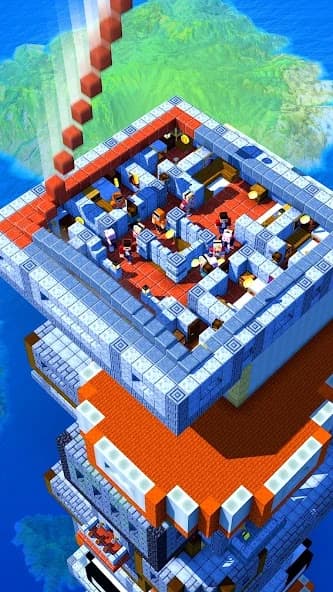
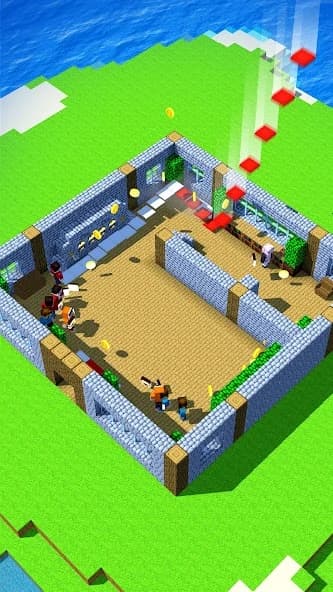
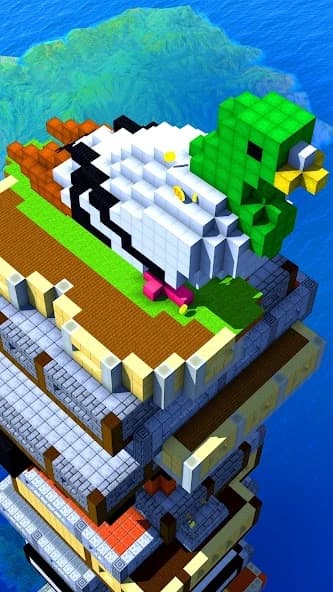
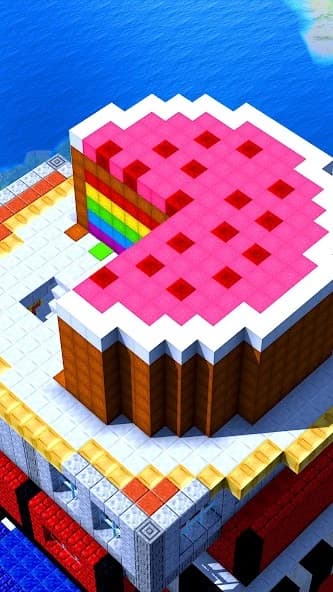
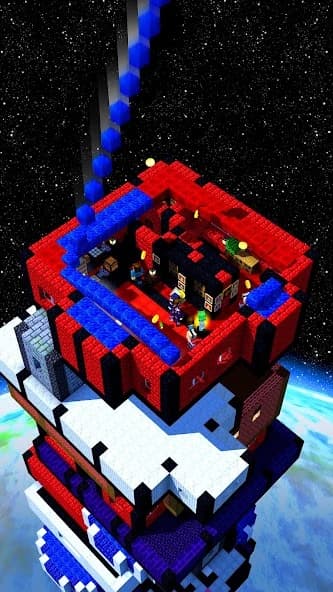
Tower Craft: ленивый строитель Mod APK puts free shopping at the heart of your skyscraper ambitions. Start with a tiny tower and turn each new floor into another reason to keep building. This idle construction game mixes block stacking with business decisions and plenty of room for creativity. Choose materials with different textures and colors while shaping a skyline that reflects your own style. The supplied mod lists free purchases, giving you more flexibility when exploring available shopping options during construction. Upgrades improve construction speed and tap effects, helping your little project grow into something impressively tall. PureMods brings together the mod details, gameplay pointers, and installation guidance you need before getting started.
Tower Craft: ленивый строитель Mod APK Highlights
- Free shopping: The listed modification enables free purchases in the game. It changes the shopping side of construction, giving you greater freedom to explore available purchases.
- More room to compare purchases: Free shopping can make experimenting with available building options less dependent on your current cash balance. Compare choices as they become accessible instead of planning every purchase around its listed cost.
- Flexible upgrade experimentation: Where the modification applies to upgrade purchases, you can explore improvements to construction speed and tap effects more freely. This helps you discover which improvement suits your preferred building rhythm.
The supplied mod information confirms free shopping for version 1.9.8. Its exact coverage is not itemized, so treat the benefits above as applications of that feature rather than promises that every purchase or progression requirement disappears.
Meet the Original Tower Craft
Tower Craft: Build Skyscraper combines idle clicker gameplay, construction simulation, and strategy in a 3D building game. Its company community information points to AZUR Games, although the supplied details do not identify a separate development studio. You begin with a small tower, stack blocks, earn income, and choose parts, materials, and upgrades. Different floors can have their own designs, with textures and colors supporting creative construction. Improvements increase building speed and tap effects, while greater tower height raises your score. The game's ambitions extend beyond the clouds into space and even Mars.
Pro Tips for Tower Craft Gameplay
The basic loop is straightforward: build upward, earn money from your construction, and use improvements to support further growth. Tapping advances your skyscraper, while shopping decisions influence both its appearance and construction performance. Start by learning how your tower responds before making several changes together.
- Watch what each tap achieves: Observe construction progress, then compare it after buying a tap improvement. That gives you a practical way to judge whether the upgrade supports your active play sessions.
- Match upgrades to your routine: If you enjoy frequent tapping, examine improvements to tap effects. If your priority is faster construction, look at building speed upgrades and read their descriptions before choosing.
- Give floors a visual plan: Choose a color or texture theme before selecting materials. You can keep neighboring floors consistent or deliberately contrast them to make sections of your skyscraper stand out.
- Change one thing at a time: Try an available purchase, build a little further, and observe the result. Free shopping makes comparison easier, but individual changes remain easier to understand than a rush of purchases.
For example, if your tower looks exactly how you want but grows too slowly, focus your next comparison on construction improvements. If progress feels comfortable, explore materials and floor designs instead. Both approaches work toward the same goal: a taller tower with a style you chose.
What Free Shopping Changes for Builders
The original game asks you to manage cash and decide which purchases deserve priority. Free shopping changes that decision process by reducing the cost barrier for purchases covered by the modification. You can put more attention into comparing available options and planning your tower's development.
This suits a game where appearance and performance share the spotlight. A different material can support your floor design, while an improvement can strengthen your construction loop. Being able to explore those choices more freely gives creative builders and upgrade enthusiasts a useful reason to try the mod.
Free shopping does not establish unlimited money, automatic access to all content, or instant completion. You still have a tower to build and gameplay systems to understand. The benefit is the listed purchasing change; additional unlocked features are not confirmed by the supplied information.
Download and Install Tower Craft: ленивый строитель Mod APK
Ready to take your tower higher? Download now from PureMods, checking the version and free shopping details on the download page before installing Tower Craft for Android. The supplied reference identifies version 1.9.8; compare the page information when looking for the latest Tower Craft update.
- Review the listing: Confirm the game title, listed version, and modification details before starting your Mod APK download.
- Download the APK: Use the download link on the PureMods page and let the Tower Craft APK file finish downloading.
- Allow installation: If Android prompts you, enable Unknown Sources or allow installation of unknown apps for the browser or file manager opening the APK. The wording depends on your Android settings.
- Open and install: Find the downloaded file, open it, and tap Install. Wait until Android reports that installation has finished.
- Launch the game: Open Tower Craft, follow its introductory prompts, and inspect available purchases to understand where the free shopping feature applies.
If installation fails, read the displayed error before retrying. Check that the download completed and that your device has available storage. Avoid uninstalling an existing copy without first checking whether its progress can be preserved.
Questions Builders Ask Before Playing
Does free shopping give me an unlimited cash balance?
The supplied information confirms free purchases, not an unlimited cash balance. Treat the modification as a shopping benefit rather than a guarantee about the money displayed in your game.
Which upgrade should I explore first?
Choose based on your routine. Tap improvements suit frequent interaction, while construction speed improvements address slower building progress. Read the available upgrade descriptions and compare the effect of one change at a time.
Can different floors use different designs?
Yes. The original game supports individual floor designs and materials with different textures and colors. Those creative options belong to the base gameplay; the mod's confirmed addition is free shopping.
Will version 1.9.8 preserve my existing tower?
Progress transfer is not confirmed by the supplied details. Check the game's available save options before replacing an installation, and do not assume a modified package will retain your current tower.
Does the mod immediately open space and Mars?
The game description includes construction in the clouds, space, and on Mars. Free shopping does not confirm that these destinations become immediately accessible, so follow the progression requirements shown in your game.
What should I check when a newer version appears?
Compare its version information and mod notes on PureMods. Confirm that free shopping is still listed, and check available save options before updating; the supplied facts describe version 1.9.8 specifically.