Warp Shift (Hints Mod — reshape maze-like chambers and guide Pi through them)
Fast Download : Download this app by PureMods App with faster speed.
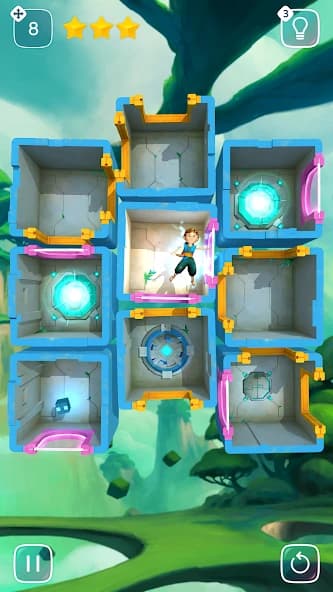
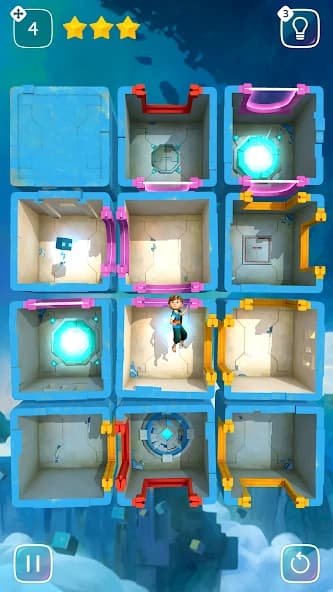
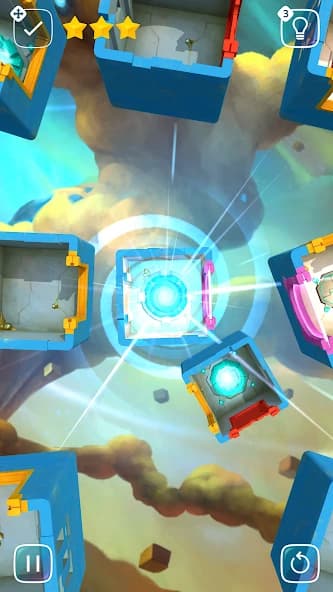
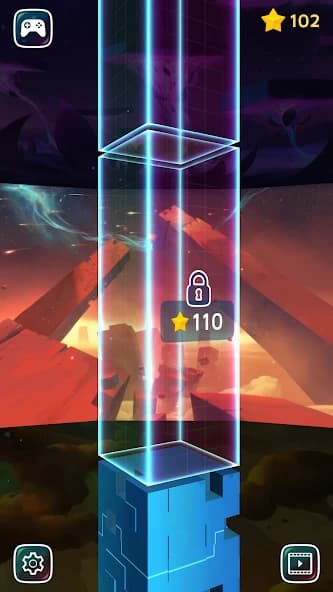
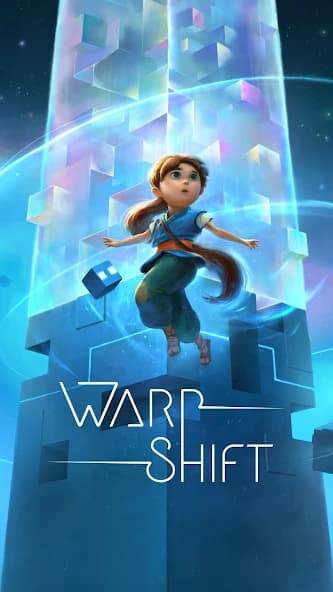
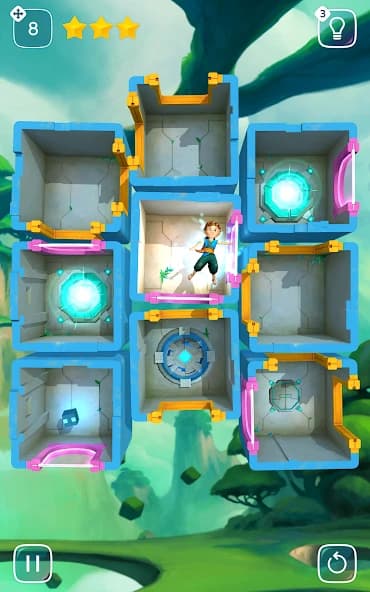
Warp Shift Mod APK turns a stylish spatial puzzler into a friendlier challenge with unlimited hints. You guide Pi through shifting cubic chambers where every swipe can open or block escape routes. Instead of wasting moves while stuck, unlimited guidance keeps difficult layouts approachable without removing their logic. Beautiful visuals and intriguing sound make each maze feel like a compact audiovisual adventure. Across five distinctive worlds, each containing fifteen levels, careful planning determines your final star reward. This Warp Shift APK suits thoughtful players who enjoy relaxed pacing, clever routes, and tactile controls. Grab the Mod APK download from PureMods and help Pi find the portal with fewer roadblocks.
Warp Shift Mod APK Highlights
- Unlimited hints: Request guidance whenever a chamber arrangement leaves you uncertain. The mod removes the usual concern about conserving hints for later puzzles.
- More room to learn: Repeated hints help beginners understand how moving one cube changes the available passages around Pi. You can study the suggested solution instead of relying on random swipes.
- Steadier progress: A difficult layout does not need to halt the journey through the five worlds. Guidance keeps the focus on spatial reasoning while reducing time spent staring at an apparently blocked route.
- Better move planning: Hints can reveal a productive direction when several cube positions look equally promising. That support is especially useful when pursuing stronger star results with fewer unnecessary moves.
The listed modification is specifically unlimited hints. It does not claim unlimited currency, automatic level completion, invincibility, removed advertisements, or cosmetic rewards.
About the Original Warp Shift Game
Warp Shift is a spatial puzzle game associated with Deep Silver FISHLABS and ISBIT Games. Players guide a young girl named Pi and her magical companion through an enigmatic ancient chamber by rearranging connected cubic areas. Moving cubes aligns openings, creates passages, and lets Pi advance toward the portal. Each completed stage awards stars according to the number of moves used. The original Warp Shift gameplay spans five visually distinct worlds with fifteen levels apiece, combining tap-and-swipe controls, polished graphics, atmospheric sound, and untimed problem-solving. The supplied version is 2.0.0 and requires at least Android 4.1 Jelly Bean.
Pro Tips for Warp Shift Gameplay
Begin by locating Pi, the destination portal, and every visible doorway before moving anything. The shortest-looking path is not always usable because openings must face one another after the cubes shift. Mentally trace a complete route through adjacent rooms, then identify which cube breaks that route. This simple inspection prevents early swipes that later require several corrective moves.
- Work backward from the portal: Check which chamber must connect directly to the exit, then build the route toward Pi. Backward planning often makes a crowded layout easier to read.
- Move Pi only after preparing space: Rearrange the chambers first when possible. Sending Pi into a poorly positioned cube can leave the next doorway inaccessible and increase your move count.
- Track openings, not decorations: The artwork is rich, but doors determine the solution. Follow the direction of each passage and ignore visual details that do not affect movement.
- Pause before every swipe: Ask which connection the move creates and which existing connection it removes. A useful swipe should improve the route rather than merely change the board.
- Use hints as lessons: With unlimited hints available, compare the suggestion against your intended route. Understanding why that move works will help you recognize similar patterns in later stages.
- Replay for stars: First solve the chamber to learn its structure, then attempt a cleaner route. Reducing exploratory moves is more reliable after you understand the cube relationships.
Warp Shift for Android has no time pressure, so speed offers no scoring advantage. Take advantage of that relaxed pace, inspect the entire chamber, and commit only after the route makes spatial sense.
Warp Shift Mod APK Benefits Explained
The unlimited-hints modification changes the support available during puzzles without replacing the core challenge. Pi still needs a connected path, cubes still require deliberate positioning, and stars still depend on efficient movement. The main benefit is accessibility: players can request guidance repeatedly when a spatial relationship is difficult to visualize.
This focused approach also makes the mod information easy to verify. Warp Shift Mod APK is not presented as an unlimited money mod, and the supplied facts do not advertise unrelated unlocked features such as skins or instant access to every stage. The package centers on one practical advantage rather than a bundle of unsupported promises. Before installing, compare the listed version 2.0.0 with the latest Warp Shift update information shown on PureMods so you know which build you are downloading.
How to Download and Install Warp Shift Mod APK
- Review the listing: Confirm that the page identifies Warp Shift version 2.0.0 and lists unlimited hints as the included modification.
- Start the download: Select the Warp Shift Mod APK download button and wait until the APK file has finished downloading to your Android device.
- Allow external installation: Open your Android security settings and enable Unknown Sources for the browser or file manager used to open the package. Newer Android versions may describe this option as permission to install unknown apps.
- Open the package: Find the downloaded Warp Shift APK in your downloads folder, tap it, and review the installation prompt before selecting Install.
- Launch the game: Once installation finishes, open Warp Shift and confirm that the game starts correctly. Android 4.1 Jelly Bean is the minimum requirement stated in the supplied game information.
- Begin the journey: Enter the first world, learn the swipe controls, and use a hint when a chamber connection remains unclear. Download now from PureMods to start guiding Pi home.
If Android blocks installation, return to the relevant app-permission screen and verify that the browser or file manager has installation access. When replacing another build, preserve any progress you need before removing the existing package.
FAQs About Warp Shift Mod APK
What modification is included in version 2.0.0?
The provided mod information lists unlimited hints. No unlimited currency, automatic completion, god mode, cosmetic unlocks, or advertisement changes are claimed.
Do unlimited hints complete each puzzle automatically?
No automatic completion is specified. Hints provide guidance, while you still move the cubic chambers, create connected passages, and guide Pi toward the portal.
How many levels are included in Warp Shift?
The game contains five distinct worlds with fifteen levels in each world, producing seventy-five spatial puzzles across the complete journey.
Why did I receive fewer stars after reaching the portal?
Star results depend on the number of moves performed. Restart the stage, plan backward from the portal, and avoid exploratory cube movements to improve efficiency.
What should I do if the APK will not install?
Confirm that installation permission is enabled for the app opening the file, verify the download completed, and check that the device meets the stated Android 4.1 minimum.
Will installing a different build preserve my puzzle progress?
Progress retention can depend on the existing package and Android installation behavior. Treat replacement as a potential data risk and preserve important progress before uninstalling another build.