8-Bit Farm (Money Mod — raise livestock and grow crops)
Fast Download : Download this app by PureMods App with faster speed.

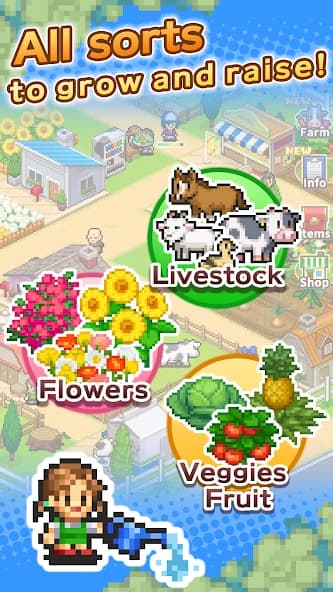

8-Bit Farm Mod APK gives your next pixel farming project extra freedom with unlimited money. Build around livestock, flowers, fruit, and vegetables while planning a farm visitors will love exploring. Kairosoft's charming simulation mixes everyday agriculture with contests, seasonal changes, and surprisingly thoughtful facility placement. Instead of letting purchase costs shape every decision, you can focus on your preferred layout. The real challenge still comes from improving produce, creating combos, and keeping your growing audience happy. Festivals, photo exchanges, and yearly rankings give your expanding property plenty of goals beyond harvesting. Read on for practical management tips, confirmed mod details, and installation guidance before you start.
Why 8-Bit Farm Mod APK Stands Out
The unlimited money mod changes how you approach purchases and expansion. In the original game, managing your finances is part of developing the property. This modified edition gives you greater spending freedom, making it easier to pursue a layout idea or invest in available farm improvements without waiting to build your budget.
That freedom suits a game where placement matters. You can put more attention into how facilities work together and how your property develops into an agritourism destination. Money is the supplied modification; automatic contest victories, unlimited photos, and instant progression are not listed features.
About the Original 8-Bit Farm
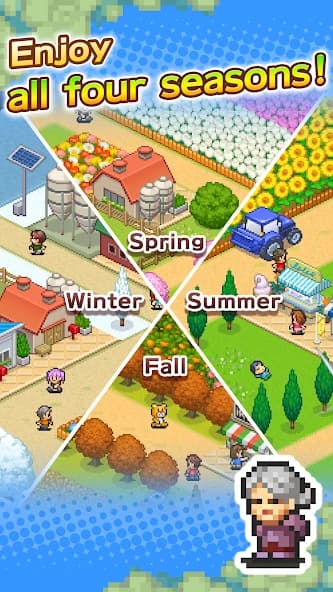
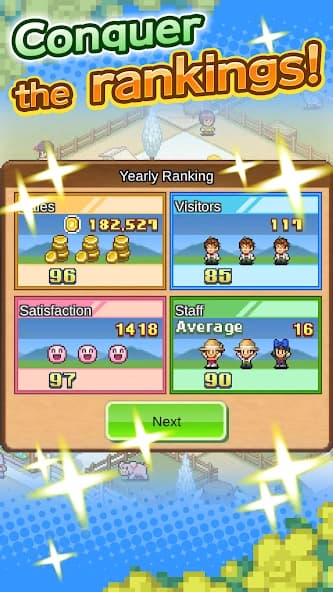
8-Bit Farm is a farming and management simulation from developer Kairosoft. You take charge of a small property, acquire livestock, grow flowers, fruit, and vegetables, then expand your fields and staff. As the farm develops, agritourism adds visitors and new objectives. Raising Appeal opens opportunities to enter contests, where produce levels and facility combos matter. Seasonal changes, retro pixel graphics, and straightforward controls frame the experience. Festivals offer minigames, while the National Farm Ranking measures performance in sales, visitor numbers, visitor satisfaction, and staff numbers at the end of each year.
Player Experience: Look Beyond Bigger Fields
The interesting part of 8-Bit Farm gameplay is how its systems connect. Better produce and thoughtful facility placement support contest performance; an award-winning farm can then draw more visitors. Those visitors also contribute to another useful resource: photos received from happy guests.
A practical approach is to give each expansion a purpose. Before adding another facility, consider whether it supports a combo, strengthens your contest plans, or helps develop the visitor experience. Unlimited money gives you room to explore these decisions, but a larger property alone does not guarantee stronger results.
Keep the annual rankings in mind, too. Sales are only one category. Checking visitor numbers, satisfaction, and staff numbers helps you choose a fresh objective when your farm already feels financially comfortable.
8-Bit Farm Mod APK Features and Benefits
- Unlimited money: The supplied mod information identifies unlimited money as the central advantage. It eases the financial restrictions attached to purchases available during normal play.
- More freedom to expand: With money less restrictive, you can focus on developing fields and investing in available facilities. Progression requirements still need attention wherever the game applies them.
- Room for layout experiments: The money benefit supports trying different arrangements of purchasable facilities. Use that flexibility to explore combinations rather than treating every purchase as a major budget decision.
- Less saving between purchases: You can spend more attention on produce quality, Appeal, and visitor goals. This benefit follows from the money modification, rather than a separate change to those systems.
Beginner Guide: How to Play 8-Bit Farm
- Establish your agricultural base. Start with livestock and grow flowers, fruit, and vegetables. Learn how these activities fit into the farm before expanding in every direction.
- Plan facilities around combos. Placement affects how facilities work together. When developing a contest entry, consider both your produce levels and the arrangement supporting your farm.
- Build Appeal with a goal. Increasing Appeal gives access to contest opportunities. Use contests as a reason to improve your produce and refine your layout.
- Spend photos deliberately. Happy visitors and achievements provide photos. Exchange them at FarmMart for installations or at the Odds&Ends Shop for useful items, including gadgets that influence the weather.
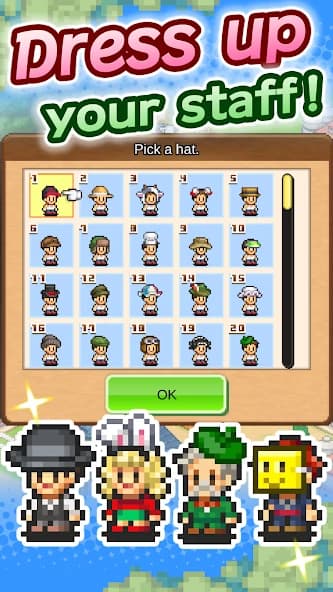
- Join festival activities. Tug of War, Outdoor Sports, and puzzles offer a change of pace. Winning can earn monetary prizes and hats for your staff.
- Review yearly performance. Use the National Farm Ranking to identify your next priority. If sales look strong, focus your planning on visitors, satisfaction, or staff numbers.
For a manageable start, choose one improvement goal at a time. Following a specific objective makes it easier to understand which decisions help your farm, even when purchase costs no longer demand much attention.
Download and Install 8-Bit Farm Mod APK
Ready to manage your own pixel countryside? Download now from PureMods, then follow these steps for your Mod APK download and installation.
- Check the release details. The supplied 8-Bit Farm APK reference lists version 1.1.2. Compare the page information before downloading; this reference does not establish that it is the latest 8-Bit Farm update.
- Download the package. Use the download option on PureMods and wait for the APK file to finish downloading.
- Allow installation. Enable Unknown Sources if your Android device uses that setting. On newer Android versions, allow installation from the browser or file manager opening the package.
- Open and install. Find the downloaded APK, open it, and tap Install. If Android reports a conflict with an existing installation, avoid immediately deleting your current game: its saved progress cannot be restored after removal.
- Launch the game. Open 8-Bit Farm for Android after installation completes. You can then disable the installation permission you enabled earlier.
FAQs About 8-Bit Farm Mod APK
Does unlimited money also provide unlimited photos?
No unlimited photo feature is listed. Photos remain a separate resource obtained from happy visitors and achievements, then exchanged for installations or useful items.
Why does my wealthy farm still struggle in contests?
Contest success depends on produce levels and skillful facility placement that creates combos. Spending freedom helps you develop the property, but does not replace those requirements.
Where should I exchange visitor photos?
Choose FarmMart when you want farm installations. The Odds&Ends Shop offers useful items, including weather-influencing gadgets, so compare your current needs before spending photos.
Can I move my farm to another device?
The supplied game description states that progress is stored on your device and cannot be transferred between devices. It also cannot be restored after deleting or reinstalling the app.
Which goals count toward the National Farm Ranking?
The yearly ranking covers sales, number of visitors, visitor satisfaction, and number of staff. Track each category when deciding what your farm should improve next.
Are staff hats purchased through the money mod?
The description identifies festival victories as a way to obtain staff hats. Unlimited money does not establish that these rewards are automatically unlocked or directly purchasable.