Epic Battle Simulator (Free Shopping Mod — build custom test battles)
Fast Download : Download this app by PureMods App with faster speed.
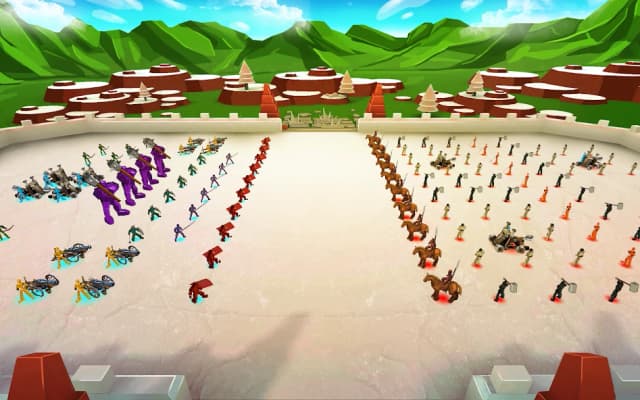

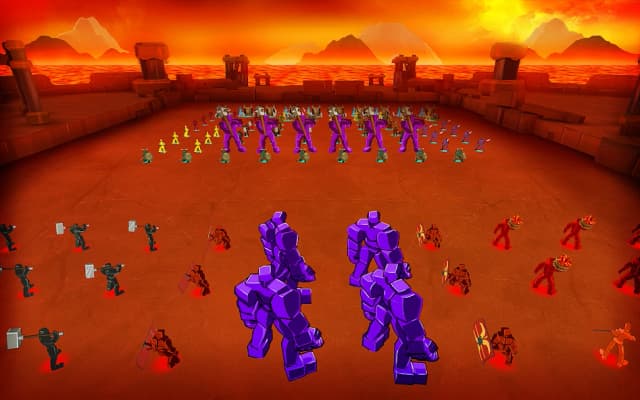

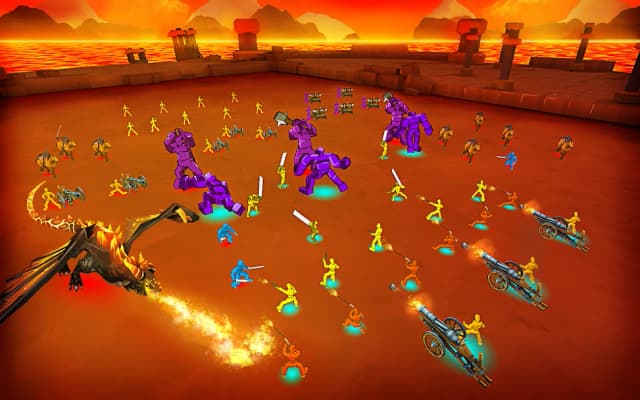
Epic Battle Simulator Mod APK turns army planning into a playground for players who enjoy tactical experiments. Place your troops, press GO, and watch your formation face an enemy army in simulated combat. The supplied mod lists free shopping, giving purchase options a different role in your strategy sessions. Success still depends on how you arrange fighters, protect ranged troops, and respond to opposing formations. Whether you prefer structured levels or custom battles, each setup offers another chance to refine tactics. This guide explains the confirmed modification, the original gameplay, and practical ways to approach your battles. You will also find installation instructions and answers about purchases, troop placement, and the listed version.
About Epic Battle Simulator: Build, Position, Battle
Epic Battle Simulator is a strategy and battle simulation game from Rappid Studios for Android. Instead of managing a settlement, you select troops, arrange them on a battlefield, and let the simulator resolve combat. Level mode provides gold for assembling an army against predefined opposition. Test battle mode lets you place both armies and observe the resulting clash. Available fighters use swords, shields, spears, hammers, bows, cannons, and guns; the supplied description also mentions mounted knights. The central challenge is choosing an effective army and placing its units carefully before tapping GO.
Epic Battle Simulator Gameplay Guide and Pro Tips
Your decisions happen before the fighting starts. Choose a mode, review the opposing formation, select your troops, and position them on the map. Tap GO when your setup is ready, then watch how the battle develops. Treat each result as feedback about your formation rather than simply a win or loss.
- Start with a readable formation. Try placing melee fighters ahead of archers or gun users. This gives you a clear starting arrangement for examining whether your ranged troops can attack before enemies reach them.
- Observe the first clash. Notice where your army meets the opposition and which part of your formation disappears first. If one side collapses early, adjust that area before replacing your entire army.
- Change one choice at a time. Move a group, change a troop type, or adjust spacing between attempts. Keeping the other choices consistent makes the effect of your change easier to understand.
- Use test battles for comparisons. Set up both armies, keep the opposing side consistent, and try different arrangements of your own troops. This is a practical way to investigate a difficult matchup.
For example, if enemy fighters reach your archers quickly, try moving the archers farther behind your melee line. Watch whether the new arrangement gives them more time to attack. Treat this as an experiment: the description does not establish fixed counters or guarantee that any particular formation wins.
Epic Battle Simulator Mod APK Features: Free Shopping
The supplied listing identifies free shopping as the modification for version 1.8.40. Its advantages center on purchases and the opportunities those purchases create for experimentation.
- Free purchases. The mod is described as allowing free shopping through the game's purchase options. The supplied information does not specify every affected item or purchase screen.
- More room to explore purchase choices. Where the modification applies, you can try purchase options without their usual cost. This can help you investigate available choices before deciding how to use them in your army planning.
- Easier comparison of affected options. Free shopping can make it more convenient to compare purchase choices covered by the mod. Keep your battle setup consistent when judging whether a different choice helps.
The documented difference from the original is purchase behavior. Free shopping does not establish unlimited level gold, automatic victories, or access to every troop. Check the actual purchase interface rather than assuming additional modifications are included.
Why Free Shopping Appeals to Tactical Experimenters
The appeal is straightforward: a purchase modification can reduce the cost barrier around trying the options it affects. For a game built around army selection and placement, that can make exploring different choices more convenient. The battlefield still gives those choices their meaning.
A useful approach is to enter a session with one question. Can a revised front line keep your ranged troops active longer? Does moving a group toward a weaker side improve the opening clash? Use an affected purchase option if it helps investigate that question, then compare the results with your earlier setup.
This keeps experimentation purposeful. Epic Battle Simulator for Android already includes a mode for constructing both armies, so you have a place to examine tactics directly. The mod's confirmed benefit concerns shopping; the original troop placement and simulated combat remain the foundation of the experience.
Download and Install Epic Battle Simulator Mod APK
Download now from PureMods and follow these steps to install the Epic Battle Simulator APK. The supplied version is 1.8.40; compare it with the version shown on the download page before starting.
- Review the listing. Check the displayed version and confirm that the mod information states free shopping. When looking for the latest Epic Battle Simulator update, use the version details rather than assuming this supplied build is the newest release.
- Download the package. Start the Mod APK download from PureMods and wait until the APK file has finished downloading.
- Allow installation. Enable Unknown Sources if your Android device uses that setting. On devices with app-specific permissions, allow installation of unknown apps for the browser or file manager opening the APK.
- Install the APK. Open the downloaded file, tap Install, and wait for Android to complete the process. If installation fails, read the displayed message before trying again.
- Launch and inspect. Open the game, check the available purchase options, and begin with a simple level or test battle to learn the interface.
FAQs About Epic Battle Simulator Mod APK
Does free shopping mean unlimited gold in every level?
The supplied information confirms free shopping only. The original level mode provides gold for selecting troops, but unlimited level gold is not documented for this mod.
Which purchases does the modification cover?
The listing does not name individual items or purchase categories. Review the purchase screens in the installed build to see where free shopping applies.
Can I arrange the enemy army myself?
Yes, in test battle mode you place both your army and the opposing army. Level mode instead challenges you against the provided opposition.
Do I control individual fighters after pressing GO?
The described gameplay involves selecting and placing troops before starting the simulation. After pressing GO, you watch the armies fight; individual combat controls are not described.
What should I change when my ranged troops fall early?
Try moving them behind your melee fighters and observe the next battle. Adjust one part of the formation at a time so you can identify which change helps.
Is version 1.8.40 confirmed as the latest release?
It is the version supplied for this article. The available facts do not establish that it is the latest release, so compare the current PureMods listing before downloading.