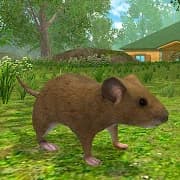
Mouse Simulator (Free Shopping MOD — live as a mouse, explore a forest and cottage)
Fast Download : Download this app by PureMods App with faster speed.
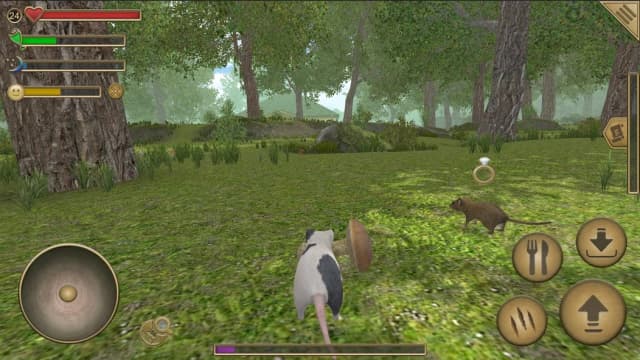
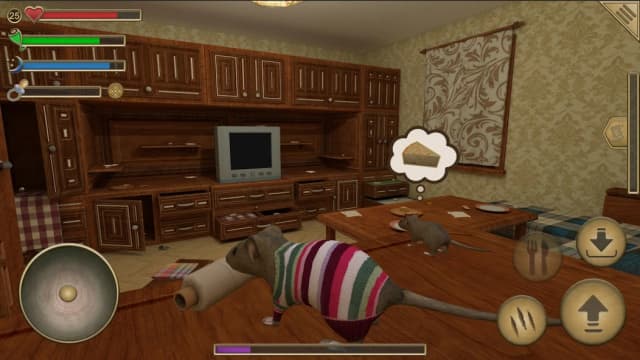
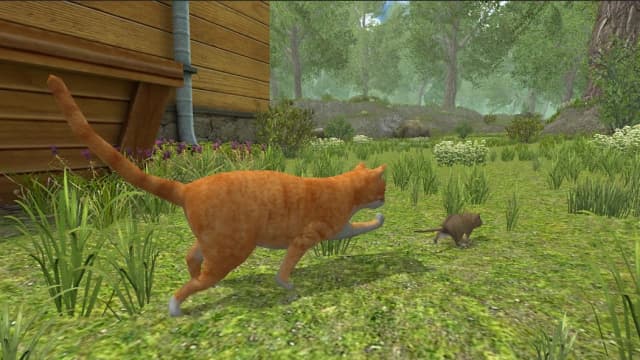
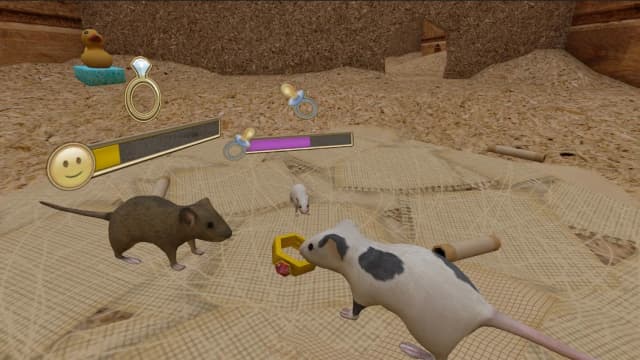
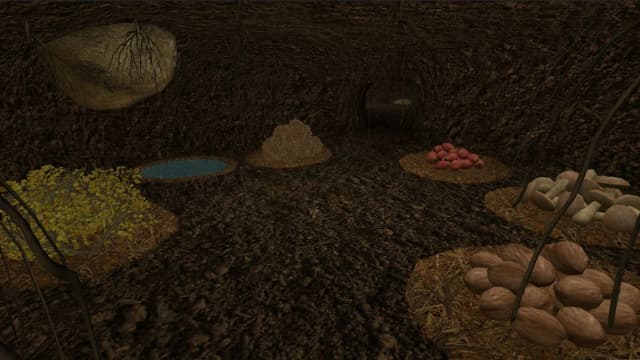
Mouse Simulator Mod APK brings a tiny rodent’s daily struggle into an unexpectedly rich adventure. You will explore forests, sneak through cottages, collect resources, and learn how survival feels from ground level. Every trip can reveal food, crafting materials, dangerous predators, or a new route toward a stronger nest. This simulation mixes exploration, family progression, building, quests, combat, and playful surprises into one compact Android experience. Mouse Simulator for Android rewards patience, quick movement, careful resource choices, and bold decisions around household hazards. The featured free shopping modification makes eligible purchases available without the usual payment barrier during your progression. Read the guide below for confirmed features, practical gameplay advice, version details, and installation steps from PureMods.
Mouse Simulator Mod APK Highlights
The Mouse Simulator Mod APK keeps the original survival-focused adventure while adding the confirmed free shopping modification. This benefit is especially useful when you want to explore the game’s progression systems without repeatedly stopping to manage payment requirements.
- Free shopping: The modified version supports free shopping for eligible in-game purchases, allowing you to access supported paid options without the usual payment step.
- More flexible progression: With shopping restrictions reduced, you can spend more time collecting resources, improving your nest, and exploring the game’s broader systems.
- Access to the complete adventure: The mod lets you experience the forest, cottage, quests, family mechanics, crafting, skins, and battles as one connected journey.
- Version 1.38 reference: This page covers Mouse Simulator version 1.38, helping you identify the listed release before beginning your Mod APK download.
About the Original Mouse Simulator
Mouse Simulator: Forest Home is a simulation game developed by Avelog Games. It places you in control of a small mouse living between two locations: a huge forest and a cottage. The core gameplay combines exploration, resource collection, nest construction, upgrades, repairs, quests, combat, and family progression. You can find a mate at level 10 and have a baby at level 20, while around 19 resource types support crafting and survival. The game also includes approximately 50 quests, 11 constructions, different skins with bonuses, achievements, and a leaderboard for competitive progress.
Pro Tips for Mouse Simulator Gameplay
Mouse Simulator gameplay becomes much easier when you treat every movement as part of a larger survival plan. The forest offers natural materials, while the cottage contains valuable household items but also creates tighter platforming and greater danger.
- Start with safe gathering: Collect nuts, berries, branches, mushrooms, and hay in the forest before attempting more complicated cottage runs. Avoid amanita mushrooms, since the game specifically warns against eating them.
- Watch your route: In the cottage, reaching an item may require climbing fabric surfaces and jumping between shelves or furniture. Plan the next landing before moving, especially when predators or hazards are nearby.
- Upgrade with purpose: Use collected resources to build constructions that provide different bonuses. Repair your nest regularly because it deteriorates over time in both locations.
- Follow quest chains: Quests provide experience and help introduce systems gradually. Completing objectives while gathering materials prevents wasted trips and keeps your progression balanced.
- Build your family carefully: At level 10, finding a mate adds a helpful resource-gathering partner. At level 20, feeding and teaching your baby becomes another long-term responsibility.
- Choose battles wisely: You can fight other animals and spiders, but predatory animals remain dangerous. Retreating is often the better strategy when your route or resources are not worth the risk.
- Use skins strategically: Skins can provide super bonuses, and some affect your family as well. Since skins can be purchased with collected food, prioritize gathering before spending.
Mod Benefits Explained
The main difference in this edition is the free shopping feature, so its value is practical rather than cosmetic. The original game already allows players to obtain skins with ordinary food they collect, while the mod focuses on eligible purchases that would otherwise require payment. That gives players a smoother way to inspect supported options as they progress through the forest and cottage.
It is important to keep the gameplay loop intact. You still need to explore, gather resources, complete quests, construct useful objects, repair the nest, manage family progression, and avoid predators. The free shopping feature does not replace those mechanics; it simply removes the usual shopping barrier for the supported purchase system. Players looking for an unlimited money mod or god mode should note that those features are not listed in the supplied mod information.
How to Download Mouse Simulator Mod APK
Use the following steps to install the Mouse Simulator Mod APK on a compatible Android device. Before starting, check that you have enough storage space and remember that this page refers to version 1.38.
- Open the Mouse Simulator Mod APK download page on PureMods and review the listed version and mod information.
- Tap the download option and wait until the Mouse Simulator APK file finishes downloading.
- Open Android settings and enable permission for Unknown Sources or allow installation from the browser or file manager you used.
- Locate the downloaded APK in your device’s Downloads folder and tap the file to begin installation.
- Review the Android installation prompt, then select Install and wait for the process to finish.
- Launch Mouse Simulator, allow the game to load, and check that the free shopping modification is available as described.
- Begin in the forest, gather starter resources, and follow the early quests to understand movement, construction, and survival.
Download now from PureMods and start exploring Mouse Simulator on Android with the listed free shopping feature.
FAQs About Mouse Simulator Mod APK
What does the free shopping feature include?
The supplied mod information lists free shopping or free purchases. It does not specify every eligible item, so availability can depend on the purchase options shown inside version 1.38.
Which game version does this page describe?
This page describes Mouse Simulator version 1.38, also known as Mouse Simulator: Forest Home. Check the version information before installing the APK.
Can I access skins without spending real money?
The original game states that skins can be purchased using ordinary food collected during play. The mod additionally lists free shopping for supported purchases.
How does family progression work?
You can find a mate at level 10 and have a baby at level 20. The mate can help collect resources, while the baby must be fed and taught independent life.
What resources can I collect?
The game includes 19 different resources, including nuts, berries, branches, mushrooms, hay, cheese, bread, cat food, coins, handkerchiefs, toys, rings, paper, and threads.
Why does my nest need repairs?
Nests deteriorate over time in both the forest and cottage locations. Gathering suitable resources and repairing the nest helps maintain your living space and supports continued progression.
Does this mod include unlimited money or god mode?
No. The supplied information confirms free shopping only. Unlimited money, god mode, and similar features are not listed for this Mouse Simulator Mod APK.