Robot Hero: City Simulator 3D (Money Mod — open-world city missions and jet-pack flight)
Fast Download : Download this app by PureMods App with faster speed.
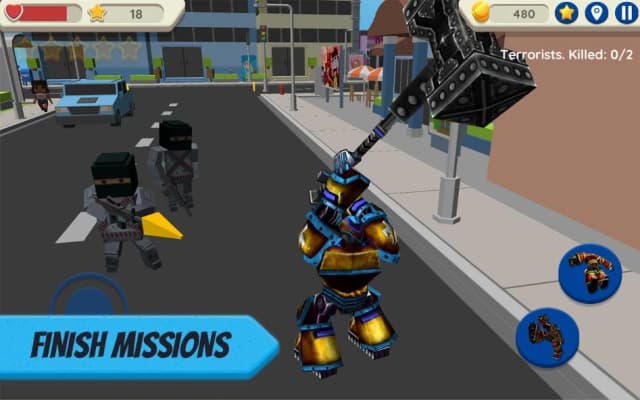
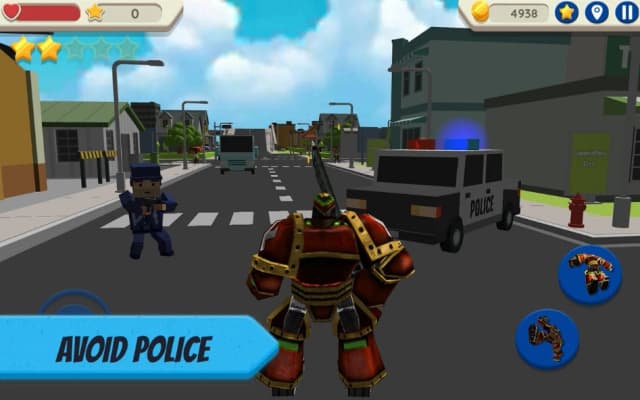
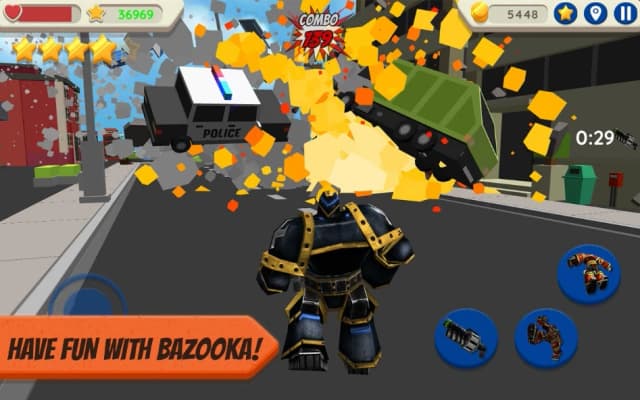
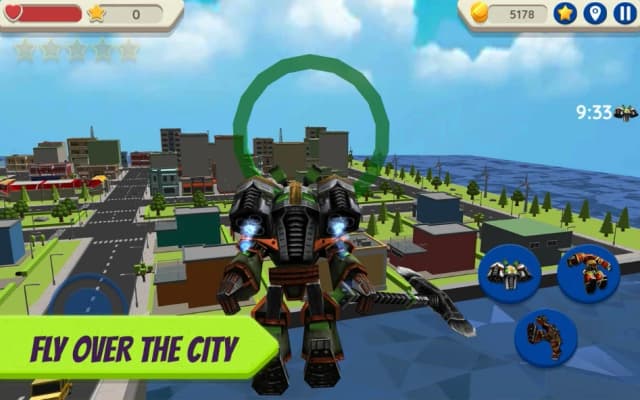
Robot Hero: City Simulator 3D Mod APK throws an escaped robot into streets with money to spare. The city looks playful, but hostile robots, traffic, and police turn every detour into trouble. With the money mod, you can concentrate on upgrades instead of repeatedly saving for them. Grab a hammer for street fights, or use the jet pack to scout another route. A bazooka can smash buildings, while chained destruction earns points and invites even more attention. This is still a mission driven sandbox, so knowing when to retreat matters as much as attacking. Read on for practical combat tips, the confirmed money benefit, and straightforward Android installation steps.
About Robot Hero: City Simulator 3D
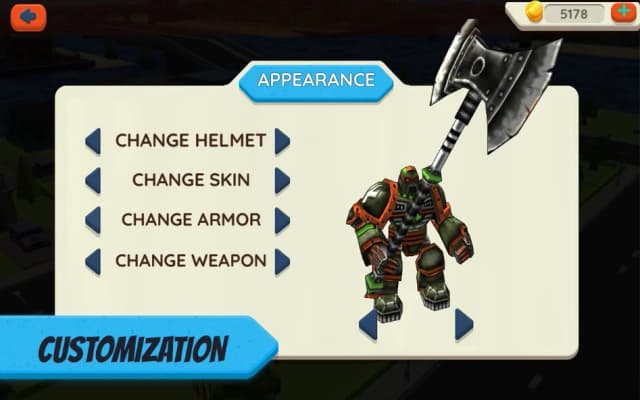
Robot Hero: City Simulator 3D is a third-person, open-world action simulation game. Its hero escapes a robot shop after learning that people plan to send him to a dump, then tries to survive in a blocky city. Missions mix exploration, combat, destruction, and escapes from police or military pursuit. You can fight with melee weapons, fire a bazooka, fly with a jet pack, upgrade the robot, and change the colors of its body, helmet, and armor. The city also contains traffic, aggressive dogs, hostile robots, and terrorists. The supplied game details do not clearly identify a developer or publisher, so no studio is attributed here.
Robot Hero: City Simulator 3D Gameplay Guide and Pro Tips
Start by choosing a mission and paying attention to where its action takes place. Travel through the city on foot to learn the streets, then use the jet pack when crossing a busy area or looking for a different approach. Robot Hero: City Simulator 3D gameplay rewards experimentation, but a direct charge through traffic can cost valuable life points before a fight even begins. Watch for cars and other nearby hazards while you move.
For close encounters, try the hammer, axe, spear, or sword and leave yourself room to reposition. When a target or destructible building is farther away, the bazooka offers a different approach. Avoid treating every explosion as free progress: attracting too much attention brings police pursuit, and the military can join the chase. If a mission becomes crowded, create distance, change direction, and return when you can manage the threats. The jet pack is useful for crossing the city, but it does not remove the need to watch your surroundings.
For score-focused runs, look for several destructible objects near one another. Breaking multiple objects can build a combo, and more destruction earns more points. Keep that objective separate from survival: a strong combo is less helpful if you stay in danger too long. Between missions, check upgrades for strength, life points, speed, bonus points and coins, jet pack use, and bazooka use. A life or speed upgrade can be more practical than extra damage when your immediate problem is escaping pursuit.
Robot Hero: City Simulator 3D Mod APK Features
- Unlimited money mod: The supplied mod information identifies money as the modified resource. This is the confirmed advantage of this Robot Hero: City Simulator 3D Mod APK; it is not a claim of unlimited health, ammunition, or points.
- More room to plan upgrades: With money less of a constraint, you can focus on which available improvements suit your next mission. Compare survival, movement, and weapon-related upgrades instead of choosing solely around the money you have saved.
- Less pressure to gather currency: The original game includes collectible coins and other rewards. The money mod lets you spend more of your time on missions, combat, and exploring the city rather than treating currency collection as your main goal.
Weapons, color customization, the jet pack, destructible scenery, and hourly rewards belong to the original game; they are not presented here as newly unlocked features. The supplied mod description does not establish ad removal, god mode, unlocked skins, or a separate coins modification. Check the details on PureMods before installing if a particular benefit matters to you.
Why Players Love This Money Mod
The appeal is flexibility in a city that can change from a casual stroll to a police chase quickly. Suppose a mission sends your robot past traffic and into a fight with hostile machines. In the original game, your upgrade choices may depend on the money collected so far. With the money mod, you can think first about the challenge: improve life points for a tougher encounter, speed for an escape, or bazooka use when destruction is the objective. Those are strategic choices, not additional mod features.
That distinction matters. Robot Hero: City Simulator 3D for Android still asks you to handle movement, choose weapons, complete tasks, and deal with the attention your actions attract. Money does not automatically finish a mission or make every confrontation easy. The best use of the mod is to try different upgrade priorities while learning how the city responds. For a destructive run, prepare for the pursuit that follows; for a mission-focused run, leave yourself a route out before firing.
How to Download and Install Robot Hero: City Simulator 3D Mod APK
Ready to give the robot more spending freedom? Download now from PureMods, and review the page details before installing. Android menu names may differ by device, so follow the equivalent permission prompt if your settings use different wording.
- Open the Robot Hero: City Simulator 3D Mod APK page on PureMods and check the listed mod details and version. The supplied version information is 1.036; compare it with the page listing rather than assuming it is the latest Robot Hero: City Simulator 3D update.
- Tap the download option on PureMods and wait for the Robot Hero: City Simulator 3D APK file to finish downloading. Locate it in your device's downloads when the transfer completes.
- If Android blocks the installation, open the relevant settings prompt and enable Unknown Sources, or allow installation from the app you used to open the file. Grant that permission only where your device requests it.
- Open the downloaded APK, read the installation prompt, and tap Install. Wait for Android to confirm that installation has finished.
- Launch the game and check the available money and upgrade options. If you no longer need the installation permission, return to settings and turn it off.
This Mod APK download changes the money resource described in the supplied mod information. It does not establish support for every Android device or guarantee that saved progress from another installation will transfer.
FAQs About Robot Hero: City Simulator 3D Mod APK
Does the money mod also give unlimited coins?
Not necessarily. The supplied mod information confirms a money modification, while coins are mentioned as a collectible in the original game. It does not separately confirm an unlimited coins feature.
Are the jet pack and bazooka unlocked by the mod?
They are part of the original game's equipment and gameplay. The mod information only confirms the money change, not instant access to particular weapons or equipment.
Which upgrades should a new player consider first?
Start with life points if combat is overwhelming or speed if escapes are difficult. Then consider strength, jet pack use, or bazooka use according to the mission you want to attempt.
Why do police appear while I am exploring?
The game brings police into pursuit when your robot attracts too much attention. Destruction and fights can make an area harder to navigate, so plan an exit before escalating a confrontation.
How do destruction combos work?
Destroying several objects can create a combo, and more destruction earns more points. Look for groups of breakable objects, but keep an eye on nearby threats while building your score.
Will installing version 1.036 preserve my existing progress?
The supplied details do not confirm save transfer between installations. Check your current game version and any available backup options before replacing an existing installation.